Basic · LESSON 06 OF 06
6. Foundations capstone: verify a Solana transfer
By the end, you can trace a sol or token transfer and report what the transaction and resulting account state establish.
Optional reading history is saved only in this browser. It is not a scored checkpoint or exam result.
In this lesson7 field notes · practice · sources · checkpoint
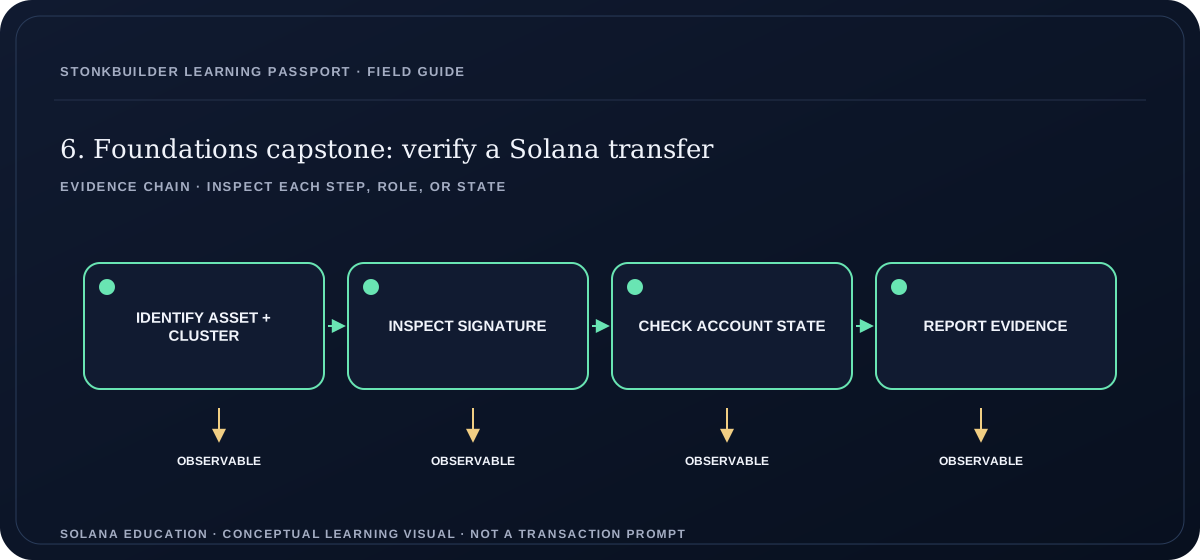
Read a text version of this diagram
The report first identifies the intended asset and cluster so the evidence is scoped correctly. It then inspects the transaction signature and execution metadata, checks the relevant post-transaction account state, and records what each observation supports. SOL balance changes can include fees or other instructions, so they do not alone prove the transfer amount.
- IDENTIFY ASSET + CLUSTER
- INSPECT SIGNATURE
- CHECK ACCOUNT STATE
- REPORT EVIDENCE
Start with the question being asked
A friend says, “I sent you tokens.” Your task is to determine what evidence supports that statement. Ask for the transaction signature and intended cluster; a wallet screenshot, copied ticker, or “sent” toast is not enough. A signature identifies a transaction, but you still need to inspect the network result and the instructions it executed. Keep the sender’s claim, the RPC observation, and the recipient’s resulting account state separate in your notes.
Identify the asset and account types
A native SOL transfer changes lamports in system accounts. A token transfer moves units between token accounts for the same mint. The token mint identifies the asset configuration, while a token account holds a balance for a particular mint and owner. A wallet address may have several token accounts. If the sender provides a token address, distinguish a mint account from a token account and confirm the token program and mint instead of relying on a symbol or logo.
Choose the right network
Mainnet, Devnet, and Testnet have separate state. A signature found on one cluster does not prove that the same transfer happened on another. Record the cluster and the explorer or RPC endpoint used for the lookup. Devnet SOL is for testing and has no Mainnet value. An address can exist on one cluster and have a different or empty balance on another, so do not omit network context from a screenshot or report.
Inspect the transaction result
Use a cluster-specific transaction lookup to inspect the signature, slot, execution error, fee, and instructions when the provider has the record. The official `getTransaction` method returns `null` when it cannot find a transaction at the requested commitment; one null result is limited evidence and does not prove that the transfer failed on every cluster or provider. When transaction metadata is present, `meta.err` reports execution success or failure, and the fee is recorded separately. Transactions execute atomically: if an instruction fails, their state changes revert, but the fee can still be charged. For a successful transaction, inspect the actual source and destination accounts and amounts.
Follow the transfer into account state
For SOL, compare the relevant account balances before and after when that evidence is available. A sender’s balance change may combine the transfer with the transaction fee and other instructions, so inspect the fee and all relevant instructions before attributing the full difference to the payment. For tokens, inspect the token accounts’ stored mint, token authority, and raw amount; confirm both accounts use the expected mint. Displayed token balances are formatted from integer base units and mint decimals. Token-account creation or closure can also change lamports. Do not mistake a token account’s SOL balance for its token amount.
Distinguish approval from execution
A wallet connection only reveals a public address to the application. A wallet signature approves specific transaction bytes. Submission sends those bytes to a network provider, and confirmation reports an observed status. These steps are not interchangeable. Check the exact destination, asset, amount, cluster, and fee payer before signing. If the wallet rejected the request, there is no user-approved transaction to report as sent. If a signature was submitted but not yet observed, label it pending or unknown until evidence changes.
Write a bounded conclusion
State what you observed: the cluster and endpoint, signature, requested commitment, slot, transaction success or error, fee, destination, mint when relevant, and resulting account evidence. Say whether the account snapshot is transaction metadata from that execution or a later state lookup. Then state what remains unknown, such as whether the sender intended this particular address or whether the provider has complete historical data. A transaction proves execution of encoded instructions under the recorded transaction result; it does not establish the real-world identity or honesty of the person behind a key. Good reports show their source and avoid turning missing evidence into certainty.
A detail worth keeping.
Compare a native SOL transfer with an SPL token transfer. Draw the signer, fee payer, source account, destination account, token mint if present, and program that processes the instruction. Explain why the two balance displays cannot be verified in exactly the same way.
Work through an example
Open one confirmed sample from the official transaction documentation or use a disposable Devnet wallet and test SOL. Record the cluster, signature, transaction result, fee, and destination. If you cannot observe an item, mark it unavailable instead of filling it with an assumption.
Write a one-page transfer verification report with one SOL and one token example. For each, record the signature, exact cluster and RPC or explorer source, commitment, execution result, fee, destination, and mint when relevant. Reconcile the SOL fee separately from transfer amounts and inspect the token account mint and token authority. State whether account evidence is transaction pre/post metadata or a later snapshot, and list any unavailable facts.
GUIDED PRACTICE · BASIC
Do the work, one step at a time.
Use fictional addresses and disposable test data. Do not enter a recovery phrase or private key. Most exercises work on paper or with a local test; only a lesson that clearly says “read-only Devnet” makes a public network request.
- Choose a published sample transaction or a disposable Devnet transfer and record the exact cluster.
- Identify whether the transfer concerns SOL or a token, then list its source, destination, fee payer, and mint if applicable.
- Inspect the signature and report execution status, fee, slot, and relevant instructions.
- Read the resulting system or token account state and compare it with the transaction claim.
- Write a conclusion that separates observed facts from sender identity, intent, or unavailable history.
Before you move on, check your reasoning
- Identify the asset, source, destination, and intended cluster.
- Inspect the transaction and verify the resulting account state.
- Report the evidence and the remaining limits separately.
OPEN SELF-CHECK · UNGRADED
Pause and test your reasoning
A SOL transfer report shows the sender’s balance fell by 0.102 SOL and lists a 0.002 SOL fee. How should you report the transfer amount?
Reveal one best answer and its explanation
One best answer: 0.100 SOL, with the 0.002 SOL network fee recorded separately.
For this synthetic case, reconcile the lamport delta into transfer value plus fee: 0.102 minus 0.002 equals 0.100 SOL. State the signature, cluster, execution result, and evidence source; do not generalize without checking other debits.
Sources: Transaction Fees · getTransaction
This practice is not scored, saved, or part of a certificate. Account-based lesson checkpoints and level exams remain separate.
Never enter a recovery phrase or private key into a learning site or lesson exercise.
DOWNLOADABLE OFFLINE CAPSTONE WORKSHEET
Verify one SOL transfer and one token transfer.
Work through two fictional transactions, calculate lamport and raw-token balance changes, separate the network fee from the transfer, and write a bounded evidence report. It is print-friendly and requires no wallet, RPC request, signing, or SOL.
Download the transfer verification worksheetThe examples are synthetic, not real transaction records. The same worksheet is included in the free Basic offline reading pack.
READ THE SOURCE
Go deeper in the official docs
Reviewed on 2026-09-29. Protocol documentation can change; check the linked page’s current version as you use this material.
OPEN LEARNING
Keep learning at your own pace.
This lesson, its guided practice, and all six course lessons are open to everyone. Account-based checkpoints, exams, and saved progress will open when free accounts are ready.
Return to all six lessons ↗