This guide is educational, not personalized financial, legal or security advice. A checklist reduces avoidable mistakes; it cannot make a transaction risk-free.
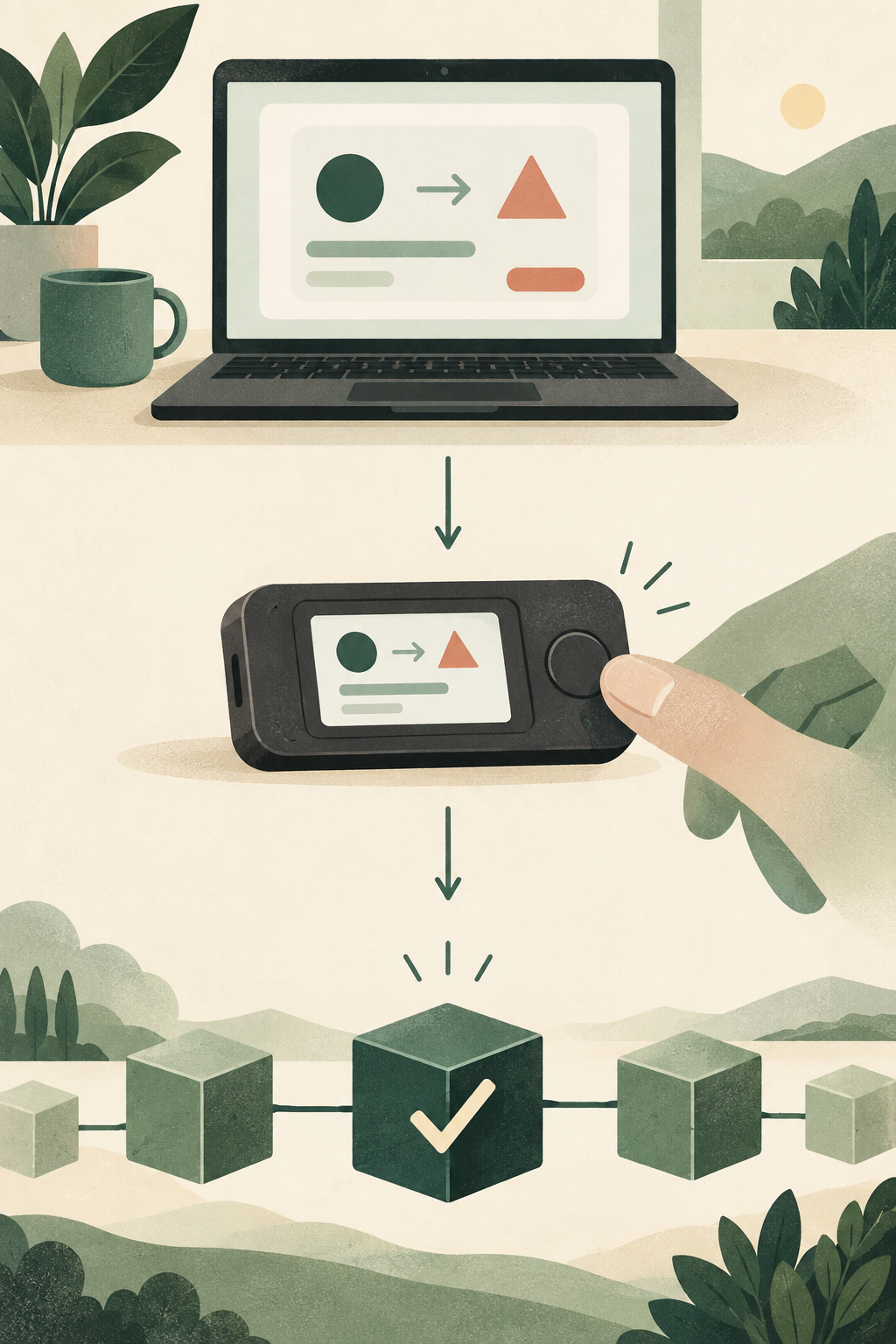
Signing is a decision point: inspect what the wallet and device show, understand the destination and only then authorize.
- The application prepares a request and should expose useful details.
- The hardware device provides a separate confirmation surface.
- The user authorizes only after checking destination, network and requested permissions.
- The network record shows the result, not whether the original interface was trustworthy.
Before the middle step, what three details would you want to compare between the application and the device?
The idea in plain English
A wallet can sign messages as well as transactions. Some messages prove account control for login; others can authorize actions under application-specific rules. “No gas fee” does not mean “no consequence.” The important question is what the signed data permits and where it can be used.
The distinction that matters
Blind signing means approving data without sufficiently understanding it. A hardware device may protect the key yet still sign a harmful instruction. Prefer human-readable details, verify the requesting domain and reject requests that do not match the task you initiated. Technical-looking data is not a reason to stop asking questions.
A practical example
You intend only to read a public report, but a page asks for a signature with unfamiliar permissions. A read-only task ordinarily should not require granting spending authority. Instead of approving to remove the popup, stop and verify the expected workflow from official documentation.
Try this without moving money
- State the exact task that should require a signature, if any.
- Check the domain and human-readable action in a sample prompt.
- Cancel any request you cannot reconcile with the intended task.
A mistake to avoid
Do not equate a signature with a harmless login. Different signature formats and application rules can give signed data different consequences.
Before you act
A checklist lowers some risks but cannot certify a person, link or wallet as safe. When uncertain, stop signing and return through a destination you independently verified. Keep evidence without sharing secrets. If money or credentials are already exposed, use the incident-response guidance and official support rather than a stranger offering a guaranteed recovery.
Check your understanding.
Can a zero-fee signature have consequences?
A correct answer records local learning progress, not a qualification or proof of financial readiness.
Sources & context
- ethereum.org — Security and scam prevention ↗Consulted 2026-09-23
- ethereum.org — Ethereum accounts ↗Consulted 2026-09-23
Original educational content prepared for this project. Sources provide context, not endorsement or a guarantee that every statement remains current. Rules, product interfaces and availability can change.
Take what you learned.
Leave the pressure behind.