This guide is educational, not personalized financial, legal or security advice. A checklist reduces avoidable mistakes; it cannot make a transaction risk-free.
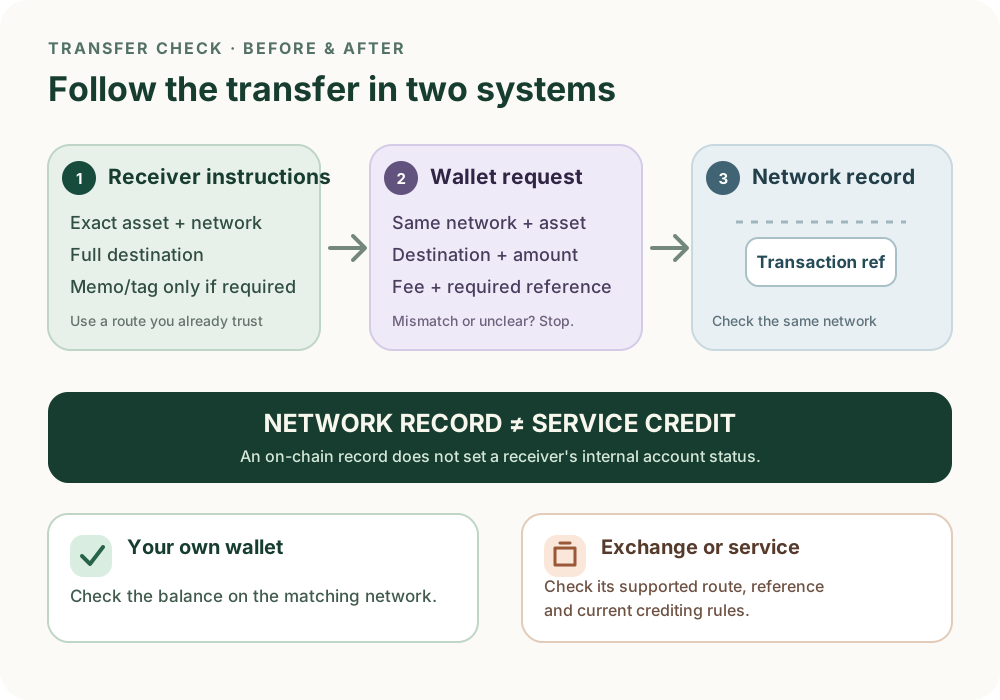
Illustrative workflow. A transfer appearing on a network does not automatically mean an exchange or other receiving service has credited it.
- Read the receiver's current instructions: exact asset, network, destination and any required memo or tag.
- Compare the wallet's network, asset, destination, amount, fee and reference before deciding whether to sign.
- If you send, inspect the transaction reference on the same network; a familiar ticker alone is not proof.
- Check any receiving service separately for its own supported-network, memo and confirmation rules.
A fictional exchange requests USDC on Solana and a stated memo. Your wallet shows Ethereum and no memo field. Name the mismatches and what you should do before signing.
A transfer has two separate checks
First, the transfer must match the asset and network the receiver supports. After it is sent, the network record and the receiver's account credit are separate facts. A valid-looking address or a familiar ticker does not establish that the route is supported.
Before signing: match the receiver's instructions
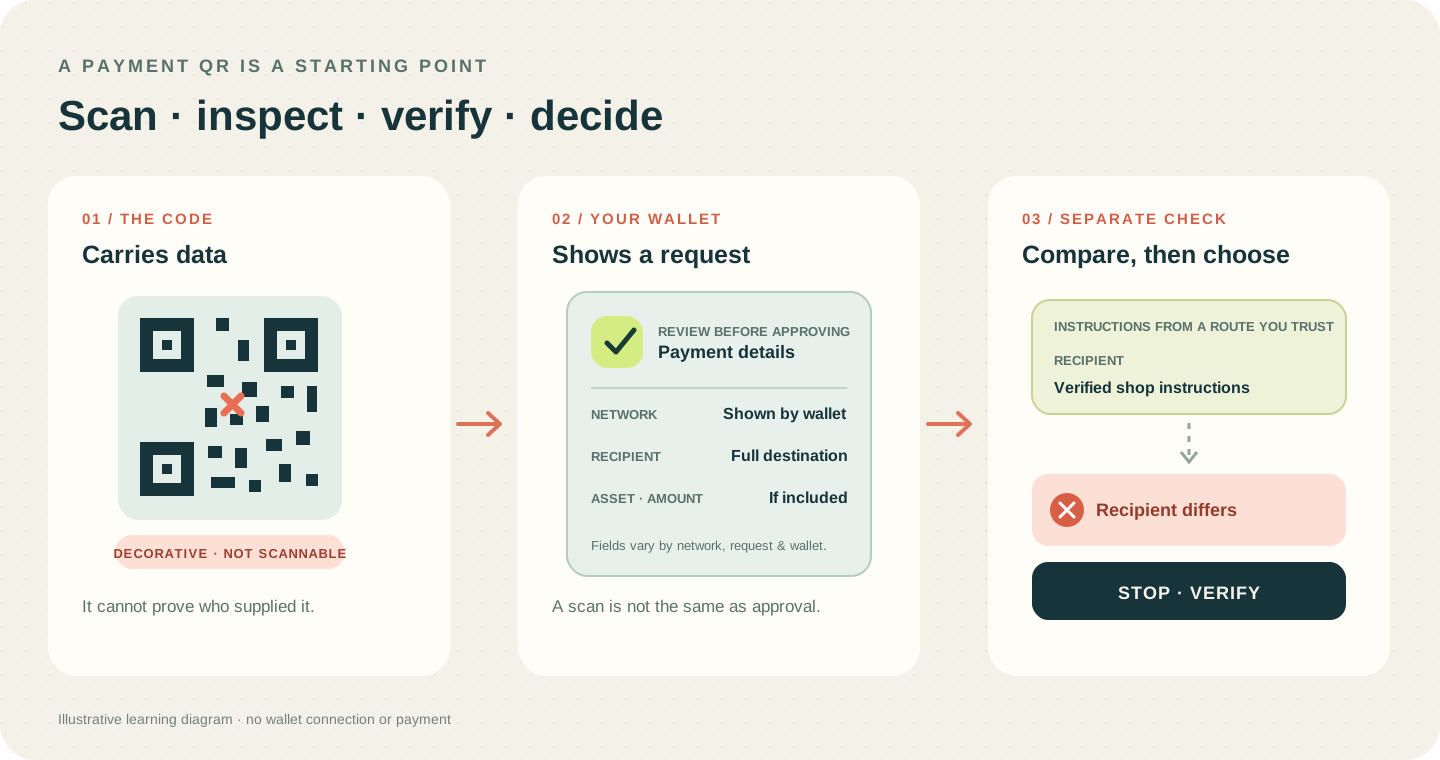
Open the receiving instructions from a route you independently trust. Match the exact asset and network, the full destination, and any memo or destination tag the service says is required. Check any stated minimum and confirmation policy before sending. Requirements vary by asset, network and provider; there is no universal memo or confirmation rule.
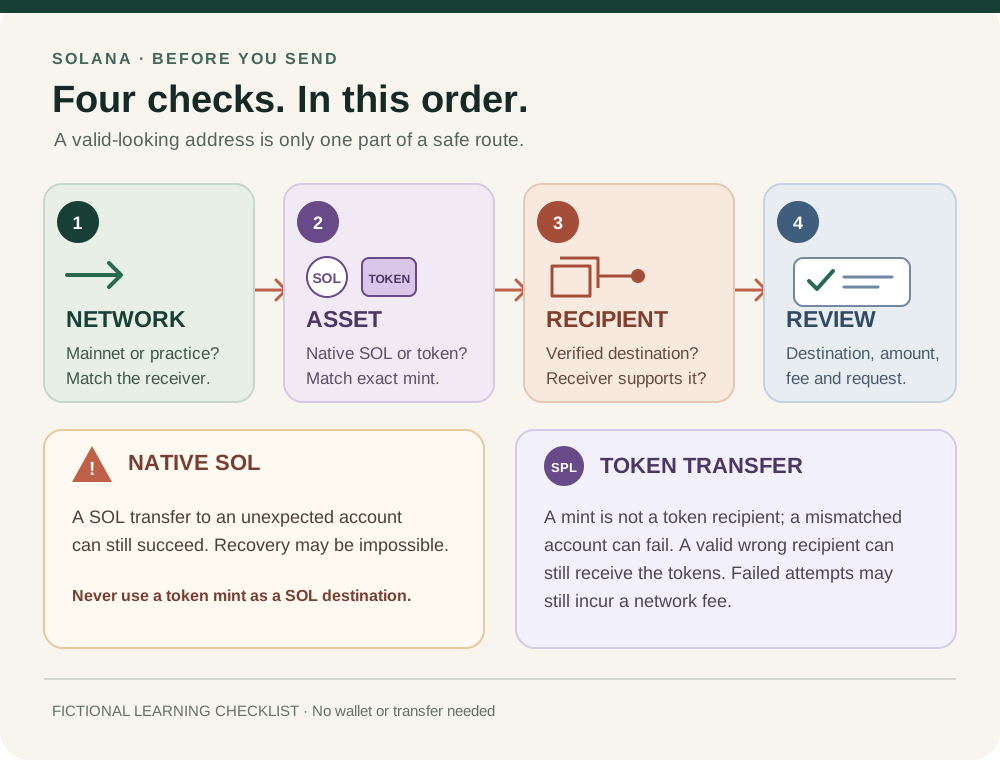
On Solana, the asset matters too: current Solana payment guidance warns that a native SOL transfer to an unintended account can still succeed. For a token transfer, do not substitute its mint address for the receiver's wallet or token-account instructions. Continue with the Solana transfer checklist for the network-specific distinction.
In the wallet: review the request
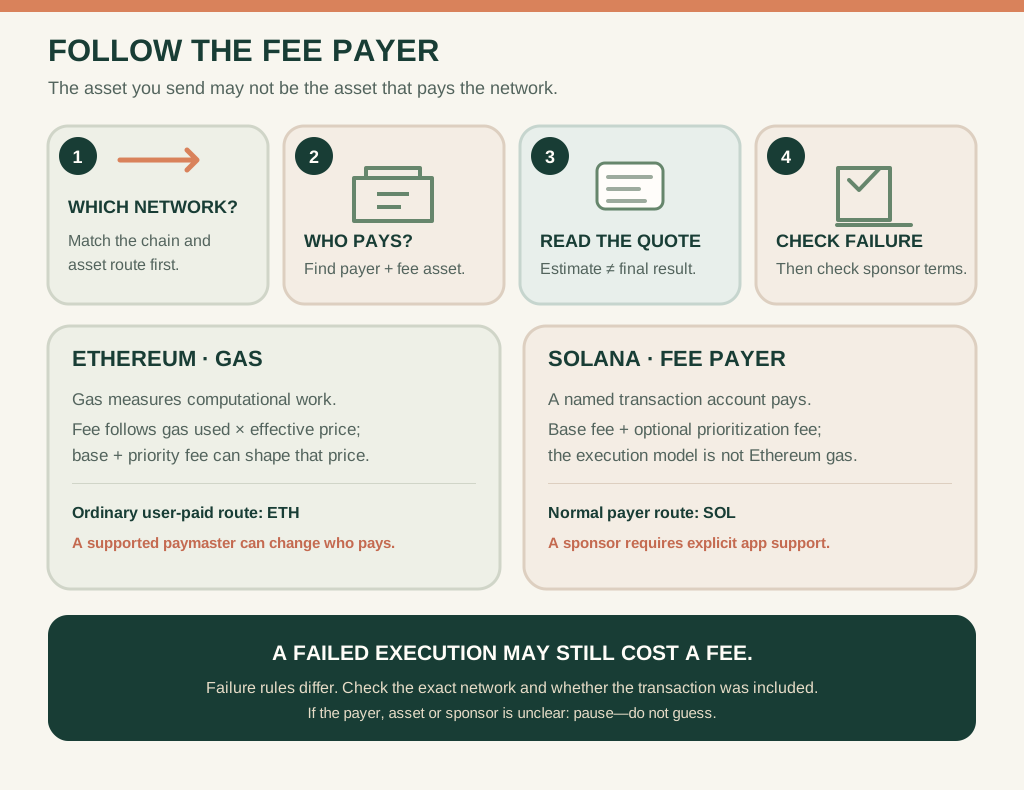
Compare the wallet's selected network, asset, destination, amount, fee and any required reference with the instructions you just checked. If a field differs or the request is unclear, decline it and verify the route before trying again. A normal transfer review does not require your recovery phrase or private key.
After sending: verify both sides
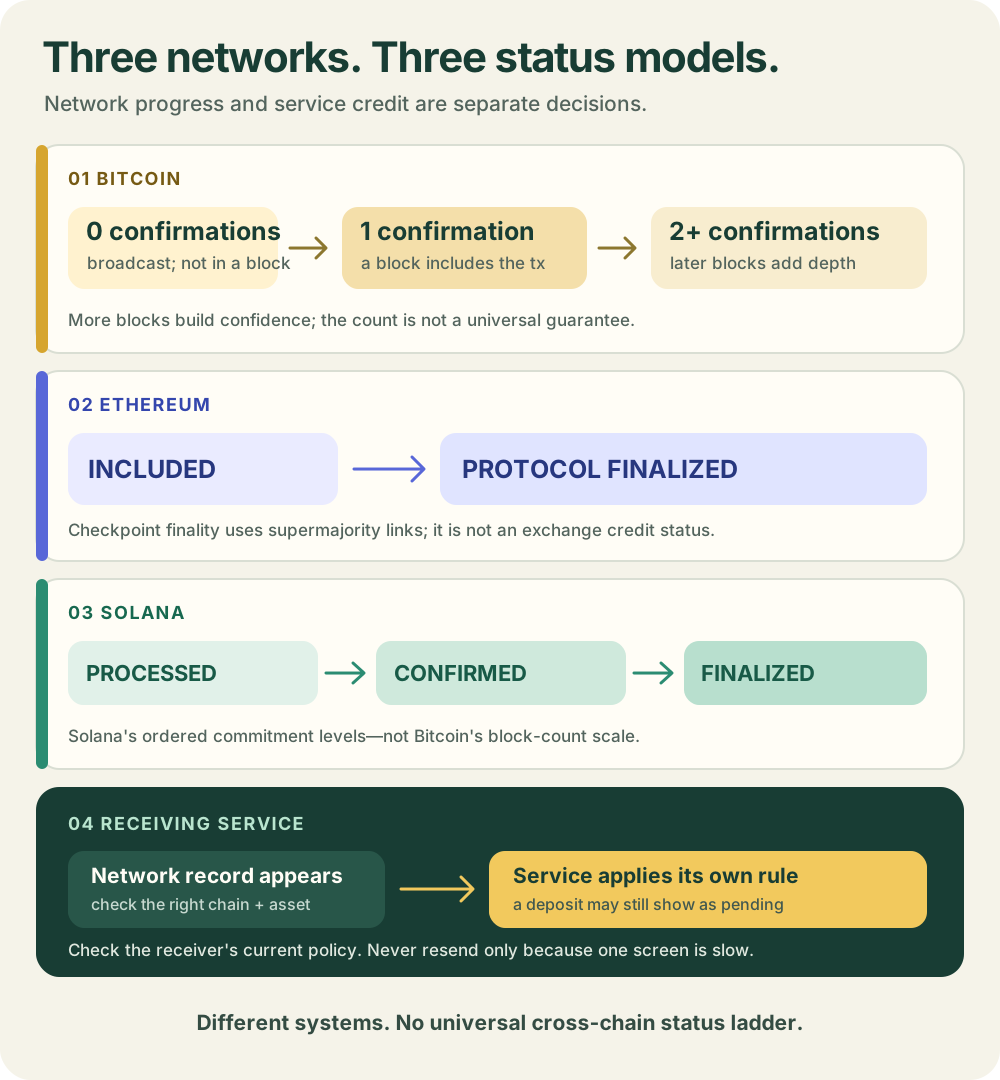
Keep the transaction reference and check it on the same network you selected. What the reference and status mean is network-specific: Bitcoin's payment guide distinguishes a broadcast transaction from later block confirmations, while Ethereum's guide describes a signed transaction that must be included in a validated block. A network record does not by itself prove that an exchange or other service has credited your account. That service may apply its own supported-network, memo and confirmation rules. Check its current deposit status through its official route; do not resend simply because a credit is delayed.
A small test is optional and answers only whether that specific route worked under those conditions. Fees or a receiving minimum can make a tiny test uninformative. Read the limits of test transfers before deciding whether one is useful. For a required memo or tag, see memos and destination tags; for cross-network status meanings, see pending, confirmed and finalized. You can practise this workflow without a wallet, signature or purchase.
Check your understanding.
An explorer shows your transfer, but the receiving exchange still says pending. What does that establish?
A correct answer records local learning progress, not a qualification or proof of financial readiness.
Put this lesson in context
Work through the asset, network and destination checks, then learn to interpret a transaction result.
Sources & context
- Solana Documentation — Verify a Solana payment address ↗Consulted 2026-09-29
- ethereum.org — Ethereum transactions ↗Consulted 2026-10-11
- Bitcoin Developer Guide — Payment Processing ↗Consulted 2026-10-11
- Kraken Support — How to deposit cryptocurrencies to your Kraken account ↗Consulted 2026-09-29
Original educational content prepared for this project. Sources provide context, not endorsement or a guarantee that every statement remains current. Rules, product interfaces and availability can change.
Keep learning in Telegram.
Open this published guide in the learning bot. No account connection or wallet is needed.
Join the $STONKB community.
Follow project updates, share useful ideas and meet other builders. You do not need to buy $STONKB to join.
Take what you learned.
Leave the pressure behind.