This guide is educational, not personalized financial, legal or security advice. A checklist reduces avoidable mistakes; it cannot make a transaction risk-free.
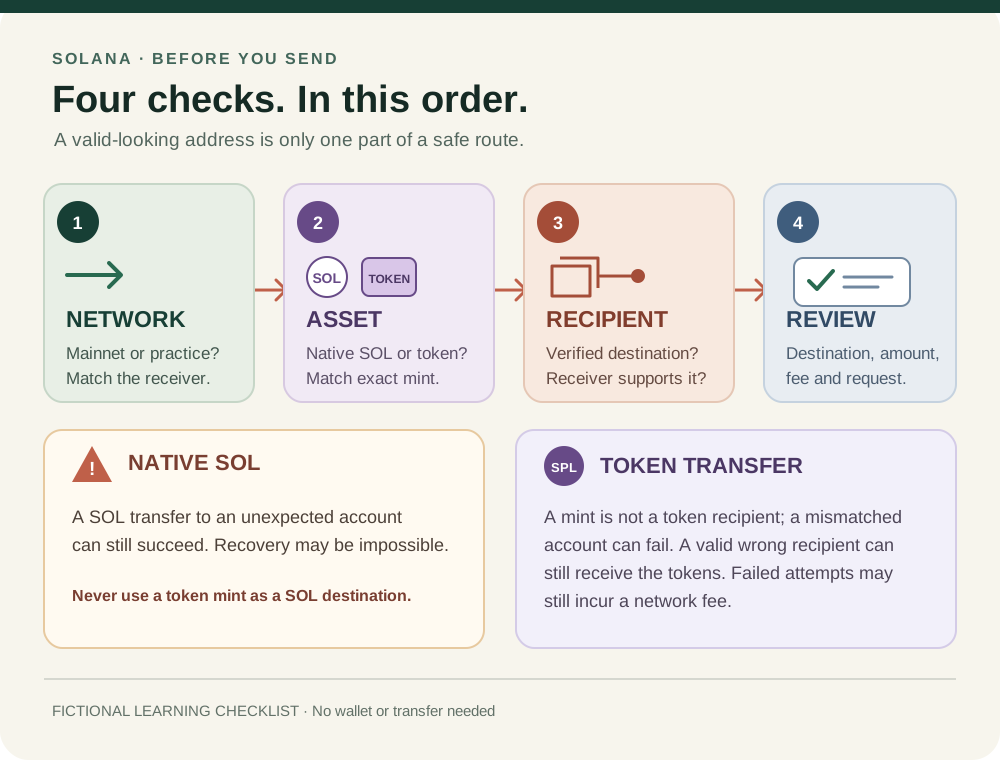
Fictional learning checklist, not a wallet screen or transfer instruction. Address and recovery outcomes depend on the exact account, asset and receiving service.
- Match Mainnet or the intended practice cluster across the sending app and receiver instructions.
- Identify native SOL or the exact token mint; a display name or ticker alone is not asset verification.
- Confirm the recipient's verified address and that the receiver supports this asset on this cluster.
- Review the wallet's destination, asset, amount and fee. Stop if the request differs from your intent.
A fictional receiver requests a token on Mainnet, but the wallet is set to Devnet and the pasted destination is a mint address. Which mismatches should make you stop before signing?
Check the route before the amount
Before a Solana transfer, match four things: the cluster, the asset, the recipient and the transaction your wallet is asking you to authorize. A familiar ticker or a correctly formatted address proves none of the other three. If the destination came from a message, verify it through a separate route you already trust; do not rely only on a copied label or QR code.
1. Match the network
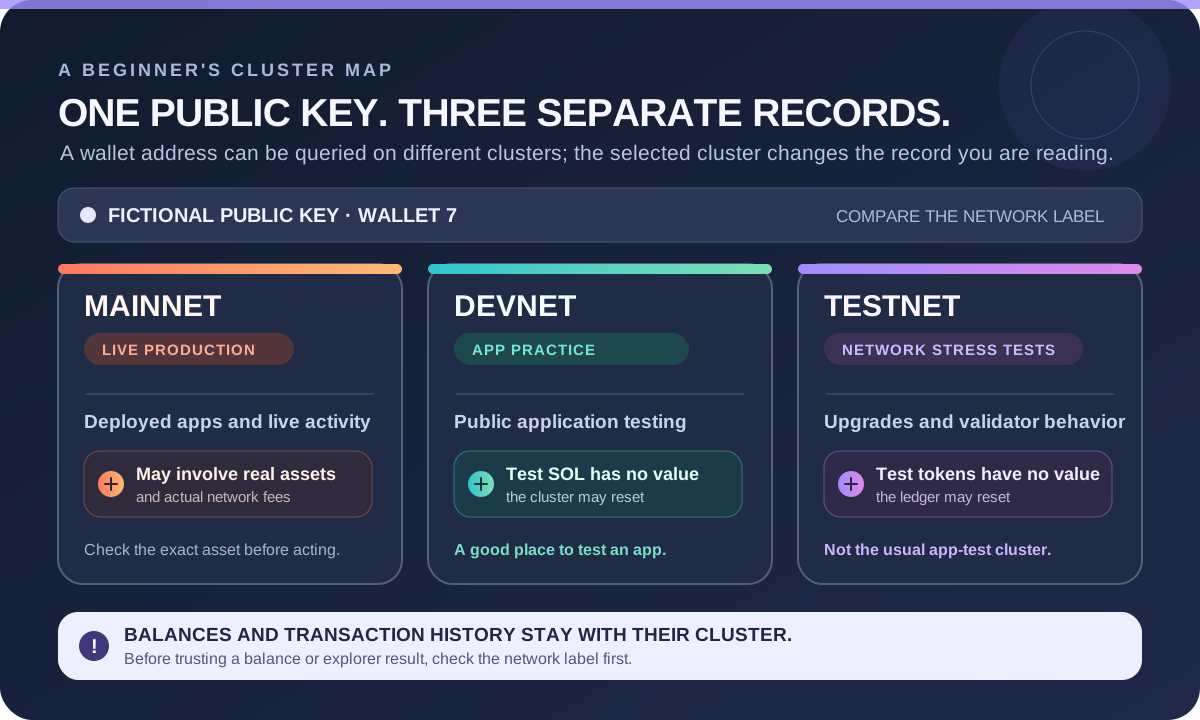
Mainnet and Devnet are separate Solana clusters with separate balances and transaction records. Devnet is for application testing; its test tokens have no real value. A balance or address activity on Devnet is not evidence of a Mainnet transfer. Check the cluster named by both the sending app and receiving instructions. For practice-versus-production differences, see Solana Devnet, Testnet and Mainnet.
2. Identify the exact asset
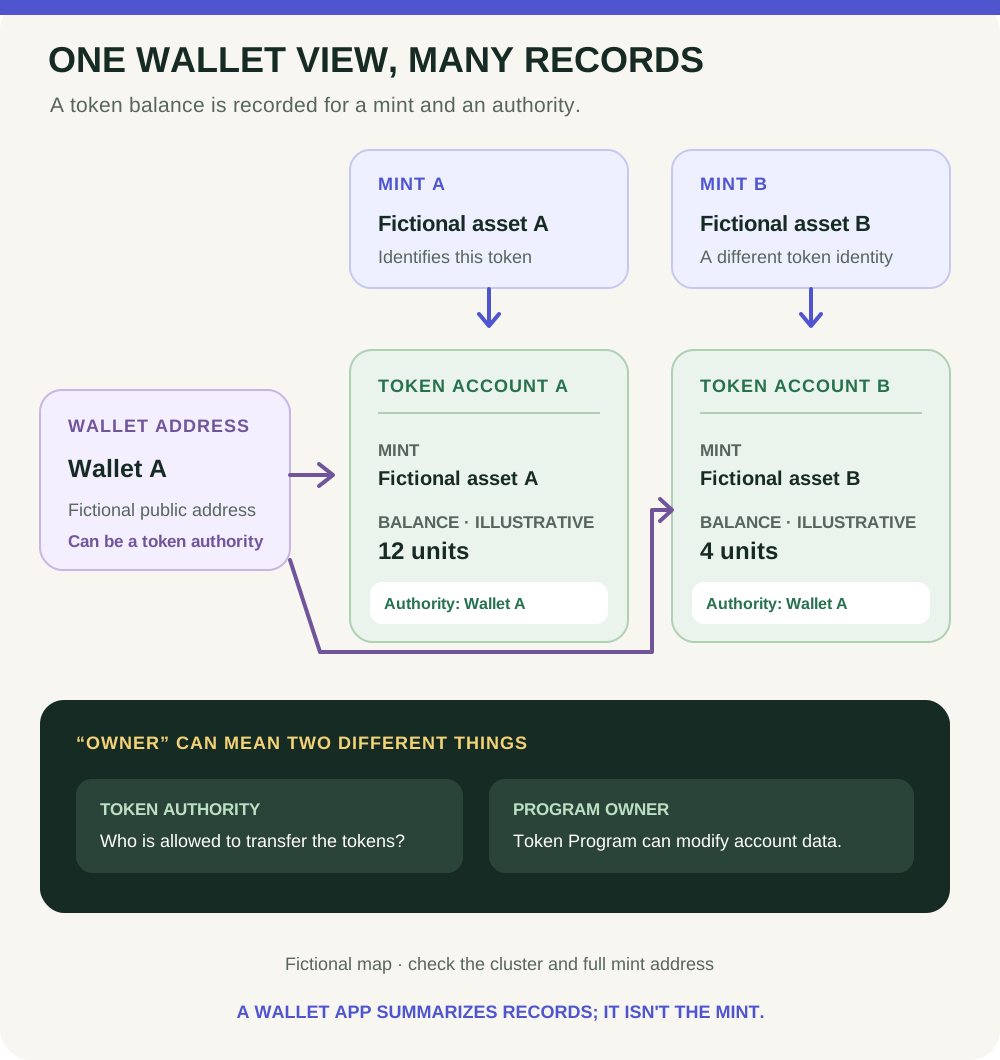
Decide whether you are sending native SOL or a token. For a token, a name, ticker or logo is not enough to establish which asset you selected; its mint address is the on-chain identifier. Compare it with a project or receiver source that you independently trust. If you are checking $STONKB, use the token-address verification guide rather than trusting a search result or token symbol alone.
3. Confirm the recipient supports that asset
Ask the receiver for the network and asset it accepts, then verify the destination through an independent trusted channel. Solana tokens use token accounts; a standard wallet commonly receives a token through an associated token account for that mint. Wallet software may handle that account for you, but receiver support and account setup can vary. Follow the receiving service's exact instructions; do not paste a token's mint address where a wallet address is requested.
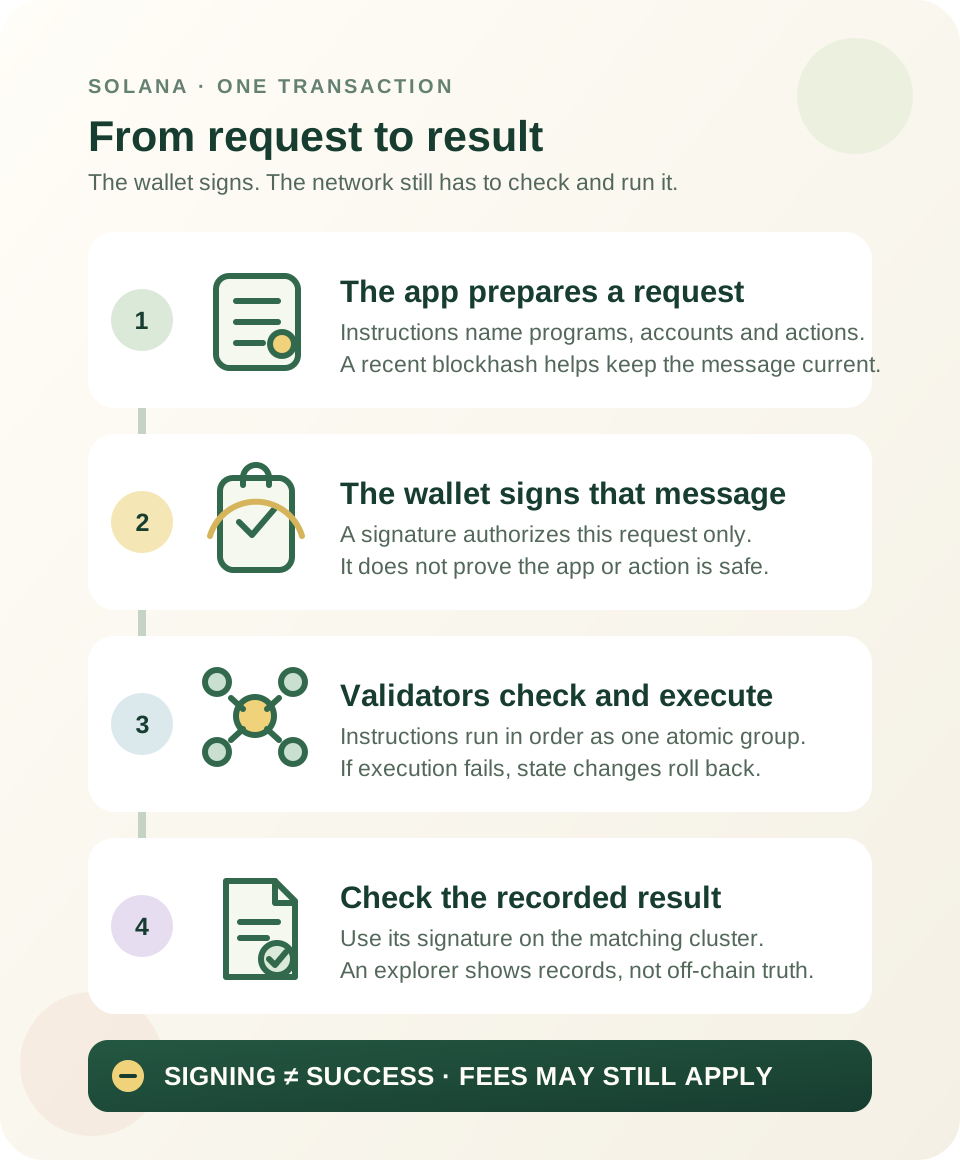
The distinction matters: Solana's payment guidance says native SOL sent to an unexpected account can still succeed and may be inaccessible to you. For SPL tokens, the token program checks that the source and destination token accounts use the same mint; a mint account itself is not a valid token recipient. Those checks do not catch every mistake: a token can still reach a valid account controlled by the wrong person. A failed transaction can also incur a network fee.
4. Review what the wallet will authorize
Before confirming, compare the recipient, asset, amount and displayed fee with your intended route. Check any memo or destination tag if the receiver requires one. If the selected cluster, asset, destination or instruction does not match—or the request is too unclear to assess—decline it and verify the instructions. A small test can help check one route, but it cannot prove a different later transfer is safe.
Practise without sending anything
A fictional receiver asks for a token on Solana Mainnet. The wallet is set to Devnet, and the pasted destination is a token mint rather than the receiver's wallet address. Do not sign: the network and destination do not match the instructions. No wallet, purchase, transfer or signature is needed to practise this check.
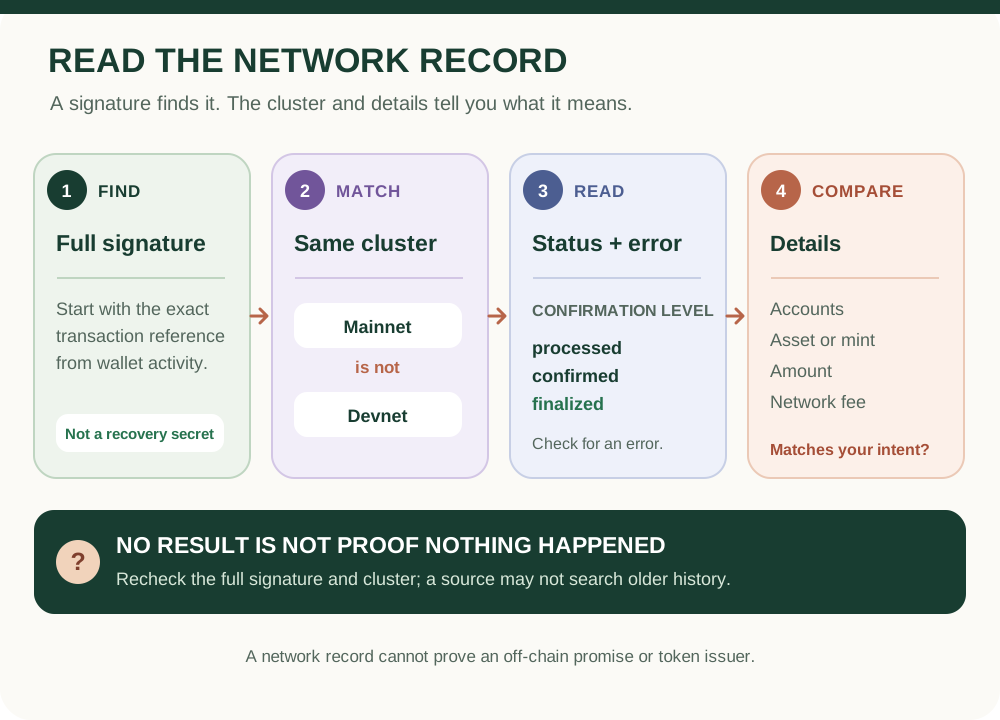
For how wallet addresses, token accounts and mints relate, read Solana accounts and token accounts. If you have already submitted a transfer and need to inspect its record, use the Solana transaction explorer guide. These checks reduce avoidable mix-ups; they cannot verify an off-chain promise or eliminate financial loss.
Check your understanding.
What should you match before confirming a Solana transfer?
A correct answer records local learning progress, not a qualification or proof of financial readiness.
Put this lesson in context
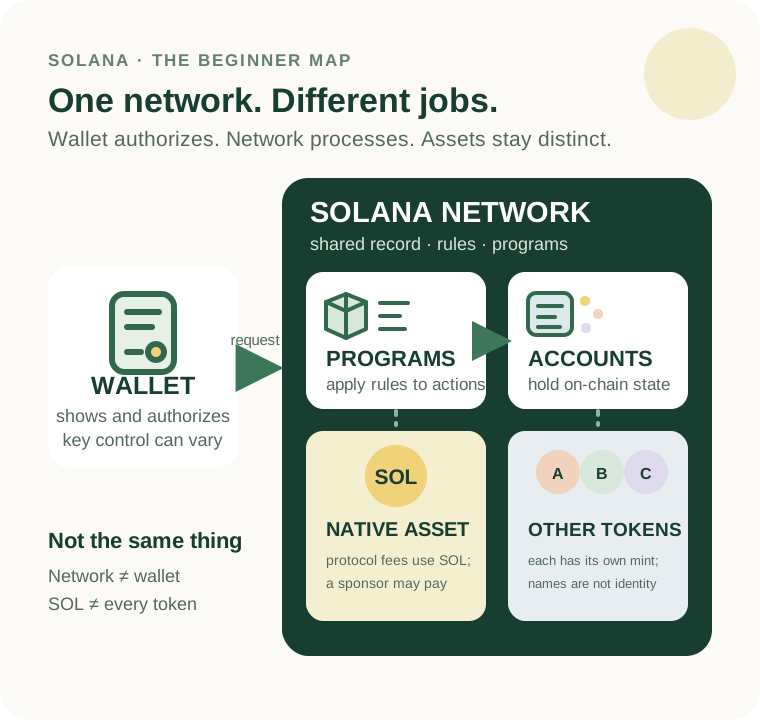
Separate the network, SOL and other tokens before learning accounts and transaction results.
Sources & context
- Solana Documentation — Clusters and public RPC endpoints ↗Consulted 2026-10-11
- Solana documentation — Transactions ↗Consulted 2026-10-11
- Solana documentation — Fee Structure ↗Consulted 2026-10-11
- Solana Documentation — Verify a Solana payment address ↗Consulted 2026-09-29
Original educational content prepared for this project. Sources provide context, not endorsement or a guarantee that every statement remains current. Rules, product interfaces and availability can change.
Keep learning in Telegram.
Open this published guide in the learning bot. No account connection or wallet is needed.
Join the $STONKB community.
Follow project updates, share useful ideas and meet other builders. You do not need to buy $STONKB to join.
Take what you learned.
Leave the pressure behind.