This guide is educational, not personalized financial, legal or security advice. A checklist reduces avoidable mistakes; it cannot make a transaction risk-free.
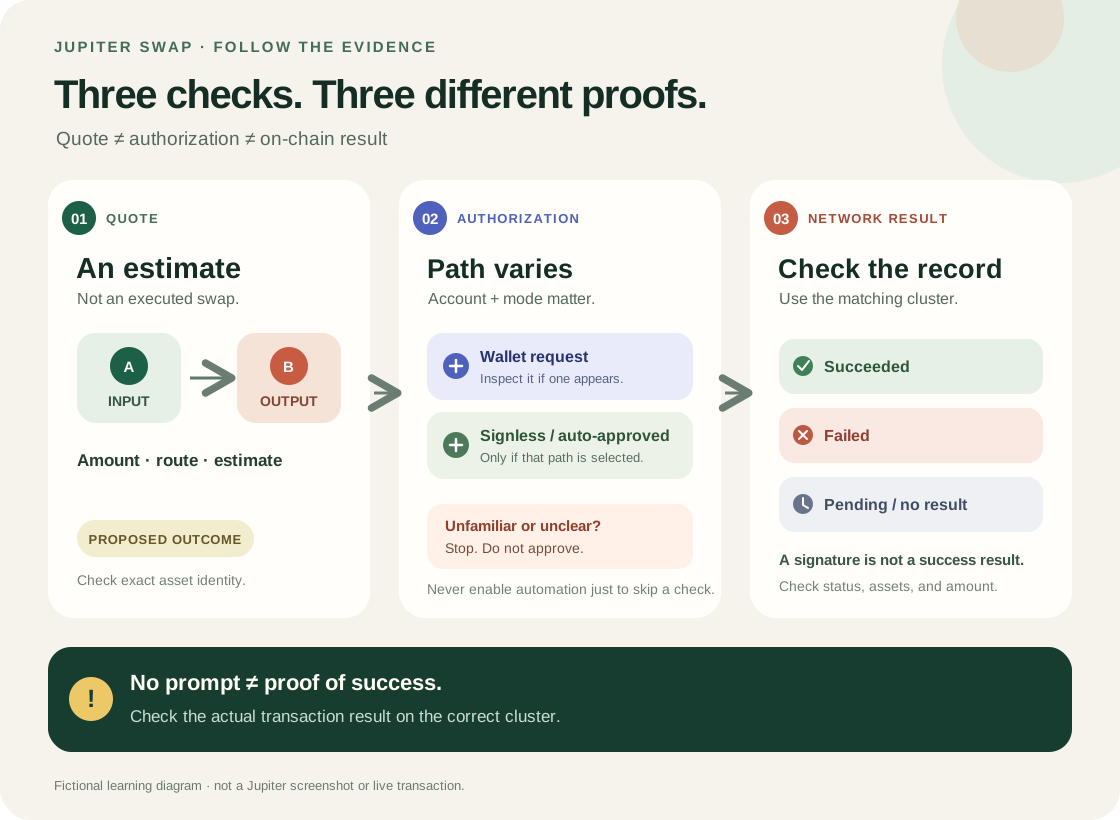
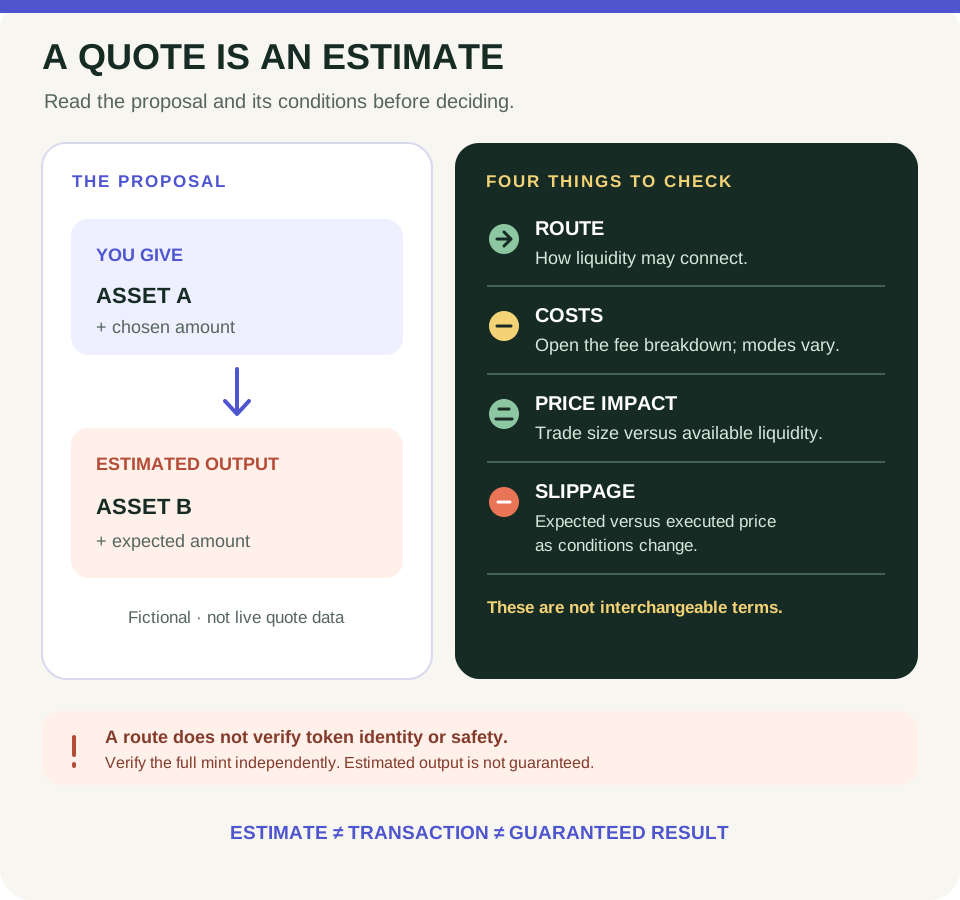
A quote is an estimate. Jupiter's current account and product options vary; check the transaction result separately on the correct cluster.
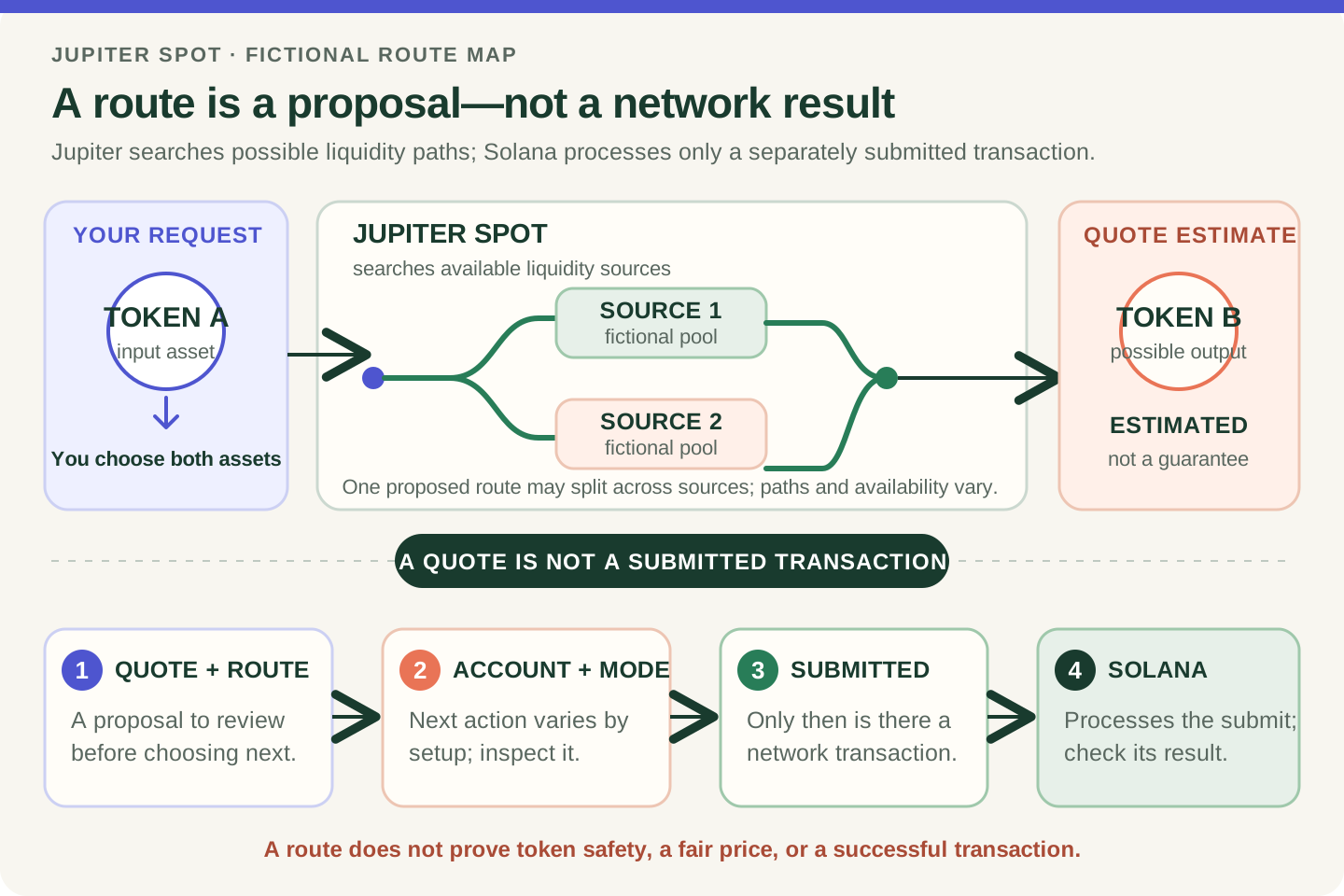
- A quote shows a proposed exchange and changing conditions; it is not an executed transaction.
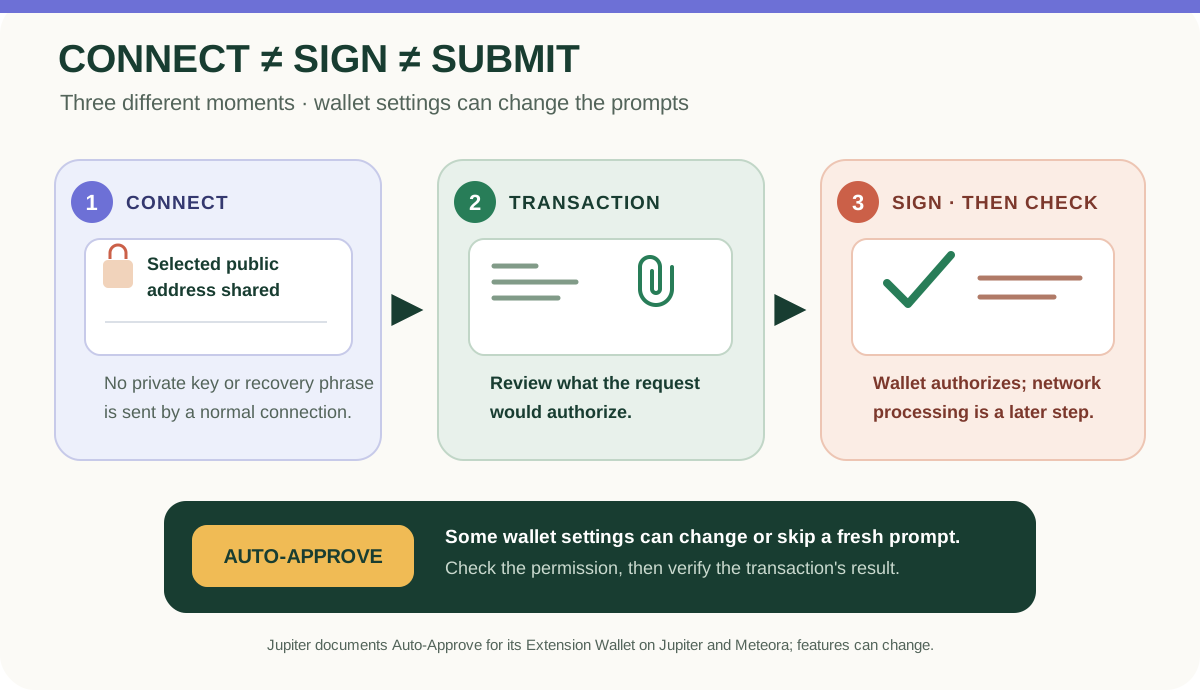
- The authorization path depends on the selected account and mode. Inspect any wallet request; stop if it is unfamiliar or unclear.
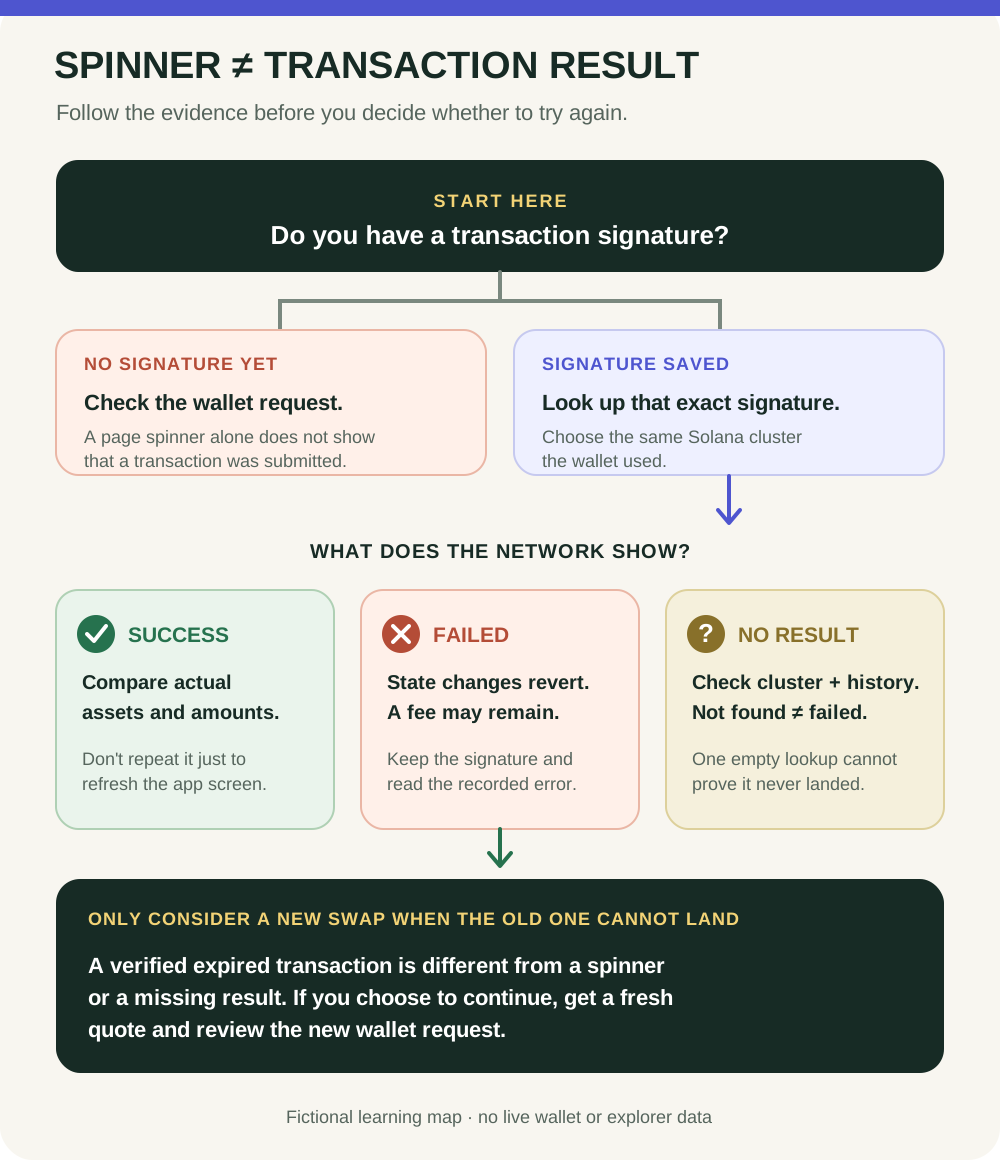
- Find the actual transaction result and confirm the correct Solana cluster. A missing prompt or signature alone does not prove success.
A fictional swap shows no per-trade popup. Confirm which account and mode you deliberately selected, then check the actual transaction result on the matching cluster; no popup alone proves neither success nor failure.
The short answer
Do not treat a swap quote, an authorization path, and a Solana result as one event. Which confirmation appears depends on the current Jupiter product and the account you selected. Jupiter documents both explicit wallet workflows and options such as signless Quick Accounts or Auto-Approve in its wallet; those are specific account or settings paths, not a universal rule. A missing prompt is not proof that a swap happened, and a signature alone is not proof that the network accepted it.
Follow the three checkpoints
1. Quote — a proposal. A quote describes a possible exchange, with token identities, amounts, route, and changing execution conditions. It is not an endorsement, authorization, or completed swap. For the field-by-field reading order, use the Jupiter quote guide. 2. Authorization — account and mode matter. If your selected flow presents a wallet request, compare its network, assets, amounts, and requested actions with what you intended. A Solana transaction can contain multiple instructions, and wallet screens differ in what they decode. If a request is unfamiliar or unclear, do not approve it. If no per-swap prompt appears, first confirm that you knowingly selected an account and settings that can use an automatic or signless path; never enable one just to make a first swap feel easier. The wallet-connection guide explains connection separately from transaction authorization. 3. On-chain result — check what happened. Authorization is not the same as a successful network result. Find the transaction record or signature through a source you opened yourself, confirm the correct Solana cluster that matches the wallet's selected network, and read the recorded status. If instructions fail, Solana reverts their state changes, but a network fee may still be charged. Use the pending-or-failed guide when the result is delayed or unclear.
Rehearse without a wallet
Imagine a fictional quote for ASSET A to ASSET B. The app shows no per-swap popup. That fact alone proves neither success nor failure: the account may use a configured signless path, or the action may not have reached the network. Check which account and mode you deliberately chose, then look for the actual result on the matching cluster. If you did not choose that path or cannot explain what happened, stop and investigate before doing anything else. You do not need a wallet, a purchase, or a signature to practise this distinction.
The boundary to remember
A route or quote cannot establish that a token is safe, suitable, or valuable. A wallet prompt is not a token audit, and no prompt is not proof that an action succeeded. Product labels and settings can change; check current official documentation for the flow you are using. Choosing not to trade is always a valid outcome.
Check your understanding.
A Jupiter swap shows no per-trade wallet prompt. What does that prove?
A correct answer records local learning progress, not a qualification or proof of financial readiness.
Put this lesson in context
Read the quote before the transaction: follow the route from Jupiter basics to costs and results.
Sources & context
- Jupiter Documentation — Jupiter Spot ↗Consulted 2026-10-03
- Jupiter Documentation — Jupiter Wallet ↗Consulted 2026-09-27
- Solana documentation — Transactions ↗Consulted 2026-10-11
- Solana documentation — Fee Structure ↗Consulted 2026-10-11
Original educational content prepared for this project. Sources provide context, not endorsement or a guarantee that every statement remains current. Rules, product interfaces and availability can change.
Keep learning in Telegram.
Open this published guide in the learning bot. No account connection or wallet is needed.
Join the $STONKB community.
Follow project updates, share useful ideas and meet other builders. You do not need to buy $STONKB to join.
Take what you learned.
Leave the pressure behind.