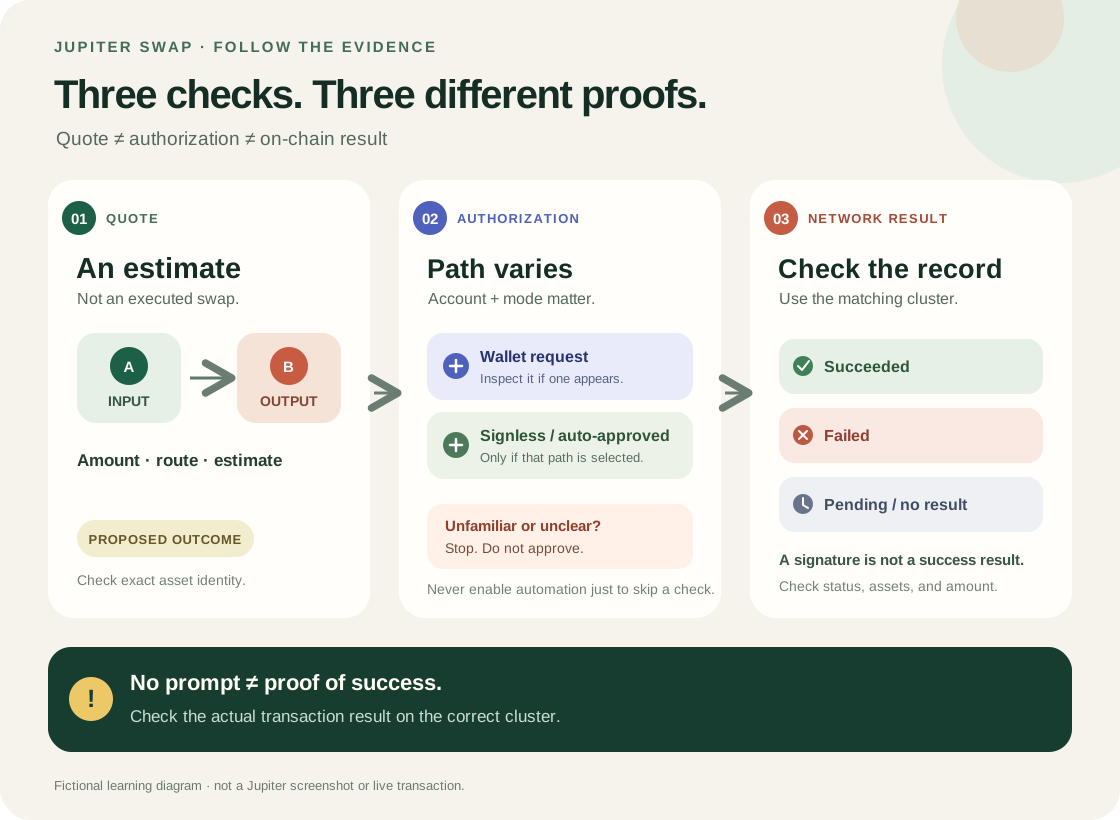
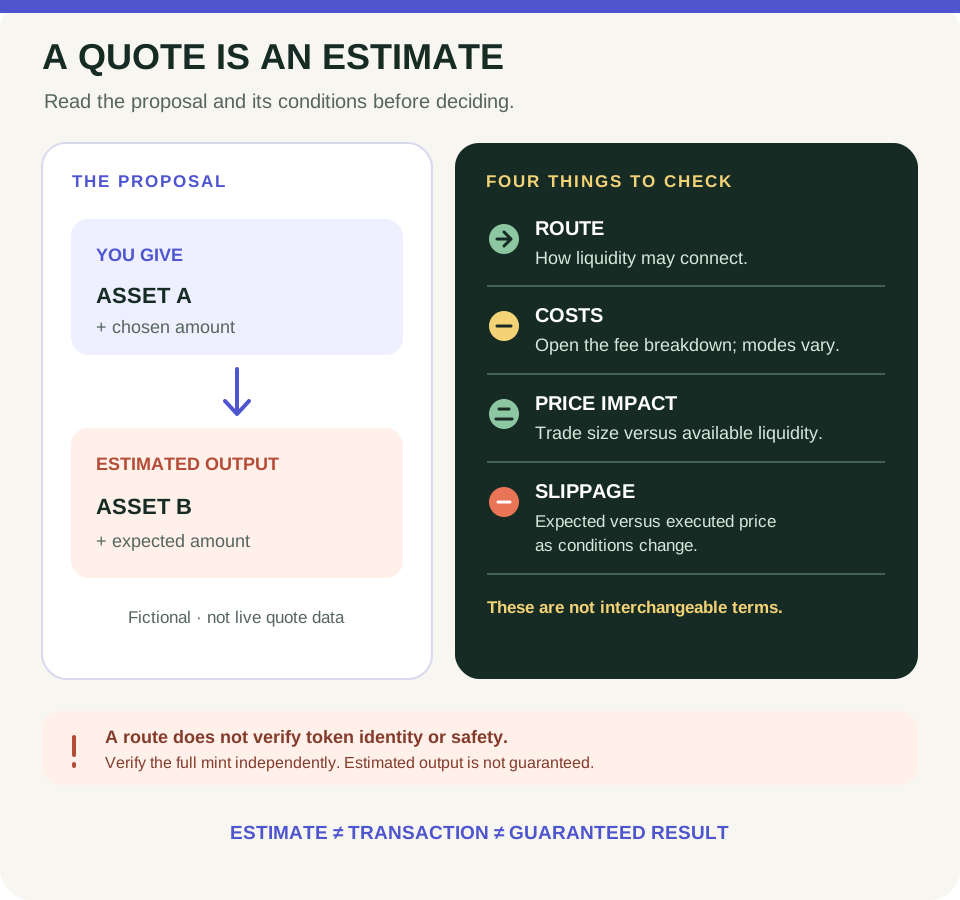
This guide is educational, not personalized financial, legal or security advice. A checklist reduces avoidable mistakes; it cannot make a transaction risk-free.
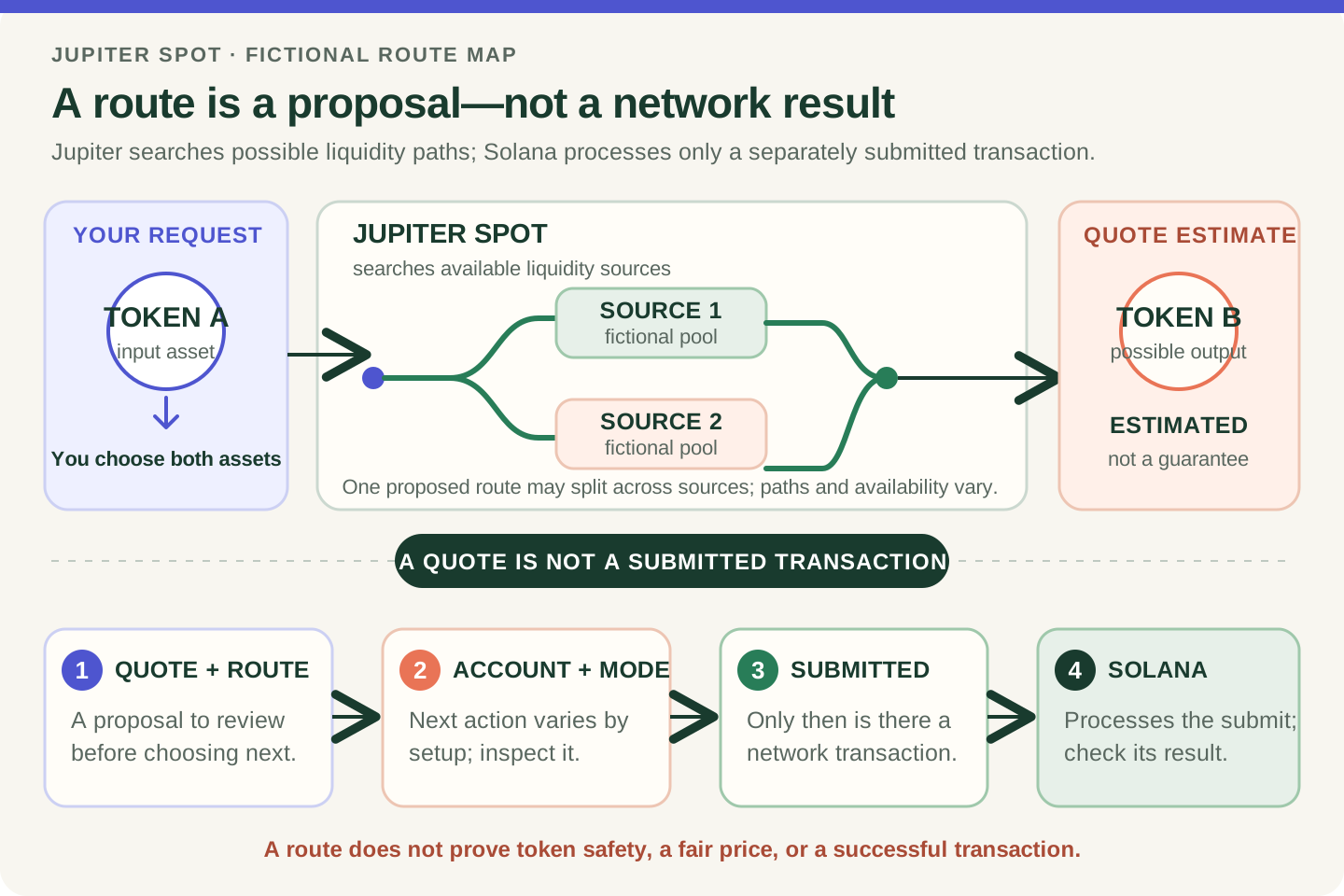
Fictional route schematic, not a live quote or available market. A Jupiter route describes a possible path; only a separately submitted transaction is processed by Solana.
- You choose the input and output assets; Jupiter Spot searches available liquidity sources.
- A proposed route may use one source, an intermediate asset, or split across sources; availability can change.
- The quote is an estimate. Review the exact assets, amounts, route, costs, and account or mode-specific next step.
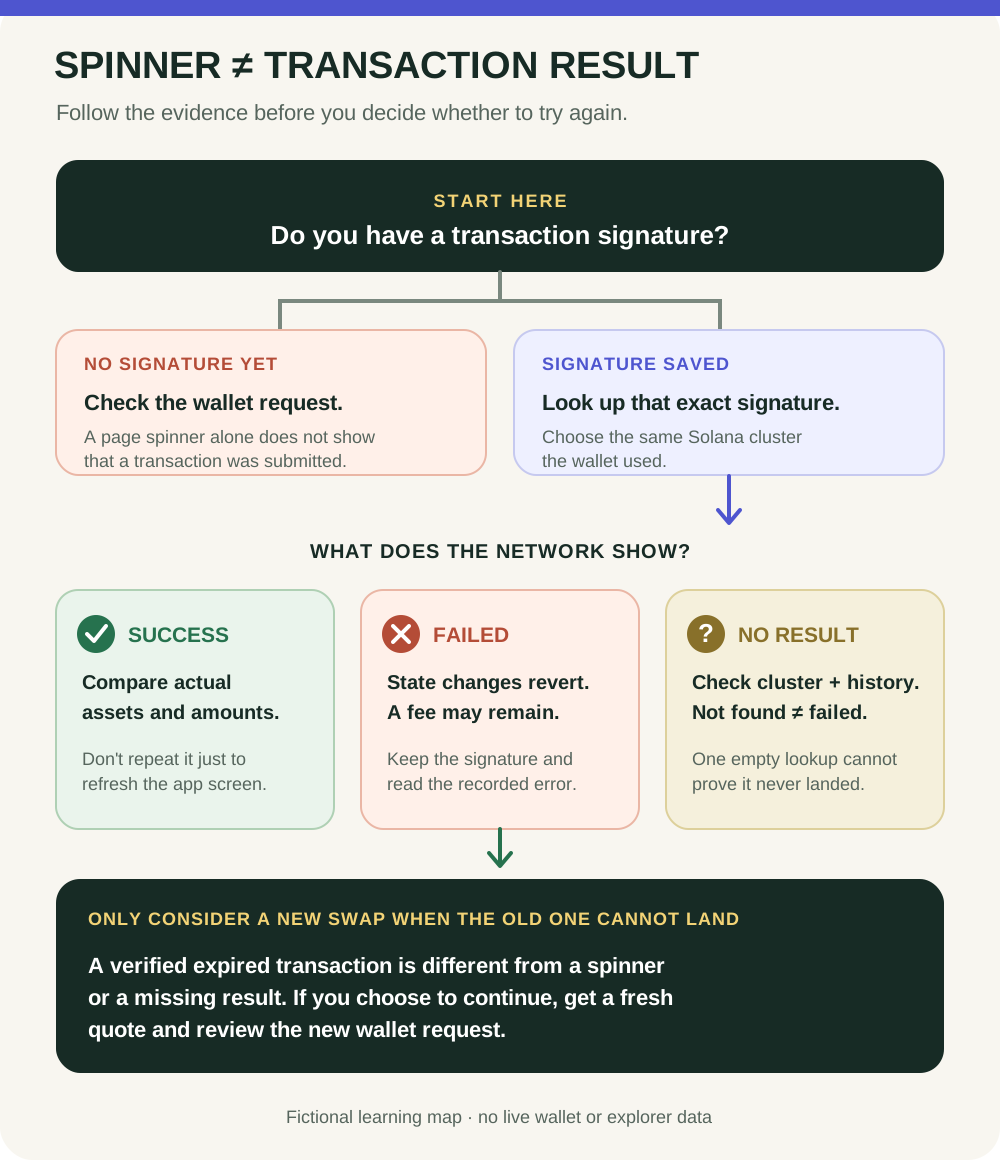
- If a transaction is submitted, Solana processes it separately. Check the network result; the route alone does not prove completion or token safety.
A fictional Token A quote shows an estimated Token B output through two sources. What does that route describe, and what separate evidence would tell you whether a transaction was submitted and processed?
What Jupiter does on Solana
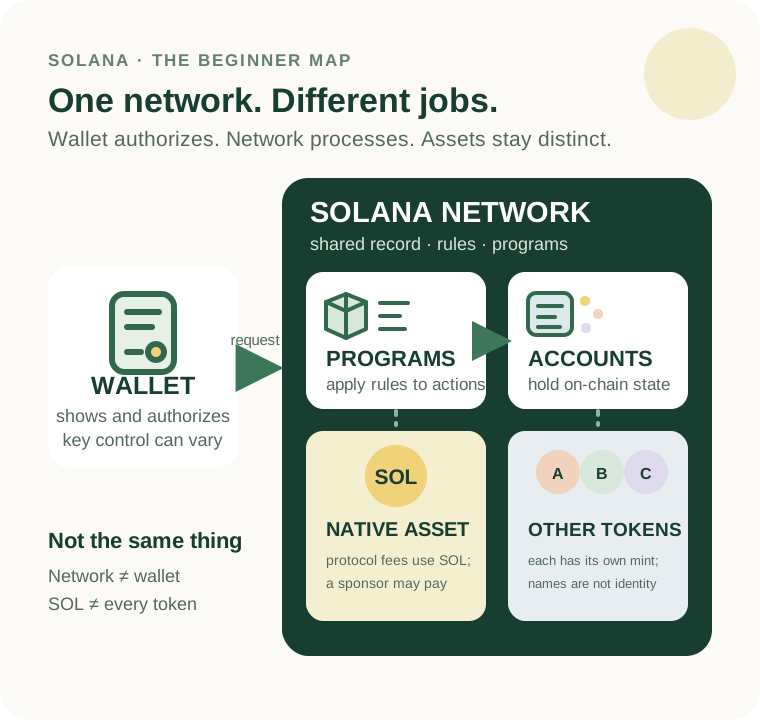
Jupiter offers several products on Solana. This guide focuses on Jupiter Spot: its spot-trading interface searches available liquidity sources and prepares a proposed route for swapping one token for another. Jupiter's documentation says a route can be split across sources when needed. Routing is different from the pools or markets a route uses. Jupiter is an application on Solana—not the Solana network, and not the token shown as a possible output.
What is a swap route?
A route is the path a proposed swap may take through available liquidity. In a made-up example, a direct route could be Token A → Pool 1 → Token B. Another possible route could use an intermediate asset: Token A → Pool 1 → Token C → Pool 2 → Token B. A route may also divide a trade across more than one source. These are teaching examples, not live quotes or a claim that any particular pair has those markets.
The interface can show an estimated result and route details, but availability and conditions can change. A route does not establish that the output token is legitimate, that the quoted price is fair for your purpose, that the transaction will execute, or that a future price will move in a particular direction.
Keep the app, liquidity and network separate
- Jupiter Spot searches sources and presents a proposed swap route.
- Liquidity sources are the markets or pools the route can use; their availability and depth vary.
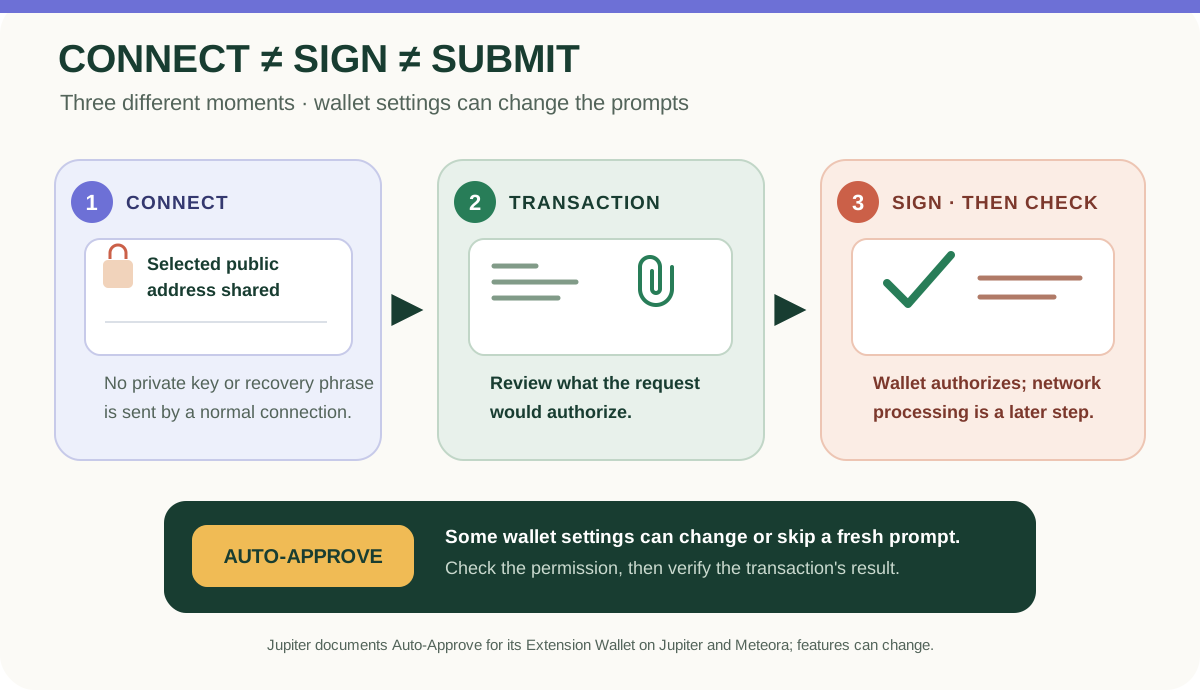
- A wallet or account provides the transaction authorization required by its current mode. The exact review and signing flow can differ, so inspect the prompt and current product documentation.
- Solana processes a submitted transaction according to network rules. A displayed route or quote alone is not proof that a swap was submitted or completed.
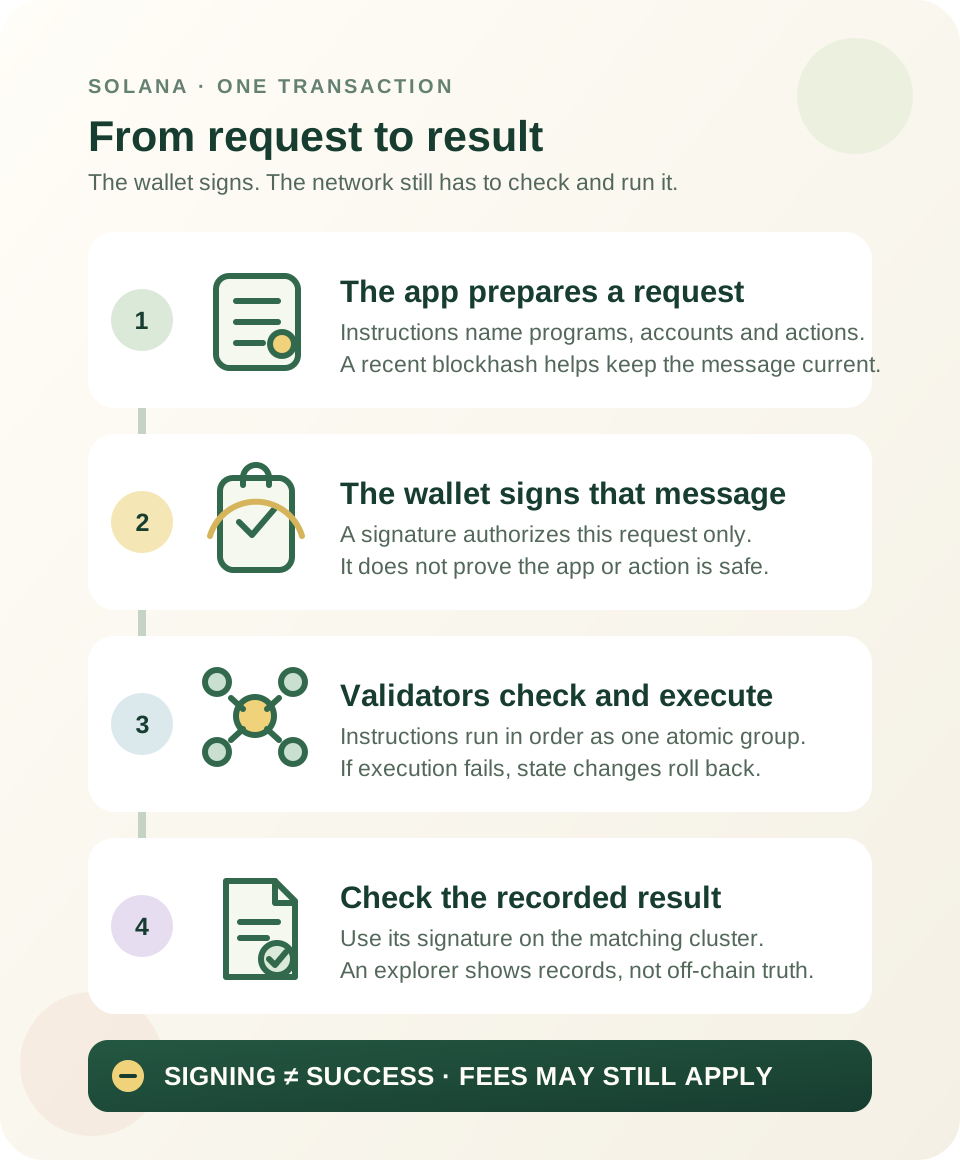
On Solana, a transaction contains instructions and the signatures that authorize its changes. A quote is a proposal; the network transaction is a separate step. Start with how Solana transactions work if those pieces are new. For the difference between the network and its SOL token, see Solana and SOL have different roles.
Practice without a wallet
Draw two boxes labelled “Token A” and “Token B.” Sketch one route directly between them and a second route through a fictional “Token C.” Label the pools as possible liquidity sources. Then answer: what can the route describe, and what would it not prove about Token B? You do not need a wallet, quote, purchase or signature.
Before using any live route, learn how to read a Jupiter swap quote and what to review before signing. A route is not an endorsement or a recommendation to trade. Jupiter's products, supported sources and interface can change; check current official documentation. No review removes market, execution, custody or token risk.
Check your understanding.
What does a Jupiter Spot route tell you?
A correct answer records local learning progress, not a qualification or proof of financial readiness.
Put this lesson in context
Read the quote before the transaction: follow the route from Jupiter basics to costs and results.
Sources & context
- Jupiter Documentation — Jupiter Spot ↗Consulted 2026-10-03
- Jupiter Support — Swap, wallet and product support hub ↗Consulted 2026-09-27
- Solana documentation — Transactions ↗Consulted 2026-10-11
Original educational content prepared for this project. Sources provide context, not endorsement or a guarantee that every statement remains current. Rules, product interfaces and availability can change.
Keep learning in Telegram.
Open this published guide in the learning bot. No account connection or wallet is needed.
Join the $STONKB community.
Follow project updates, share useful ideas and meet other builders. You do not need to buy $STONKB to join.
Take what you learned.
Leave the pressure behind.