This guide is educational, not personalized financial, legal or security advice. A checklist reduces avoidable mistakes; it cannot make a transaction risk-free.
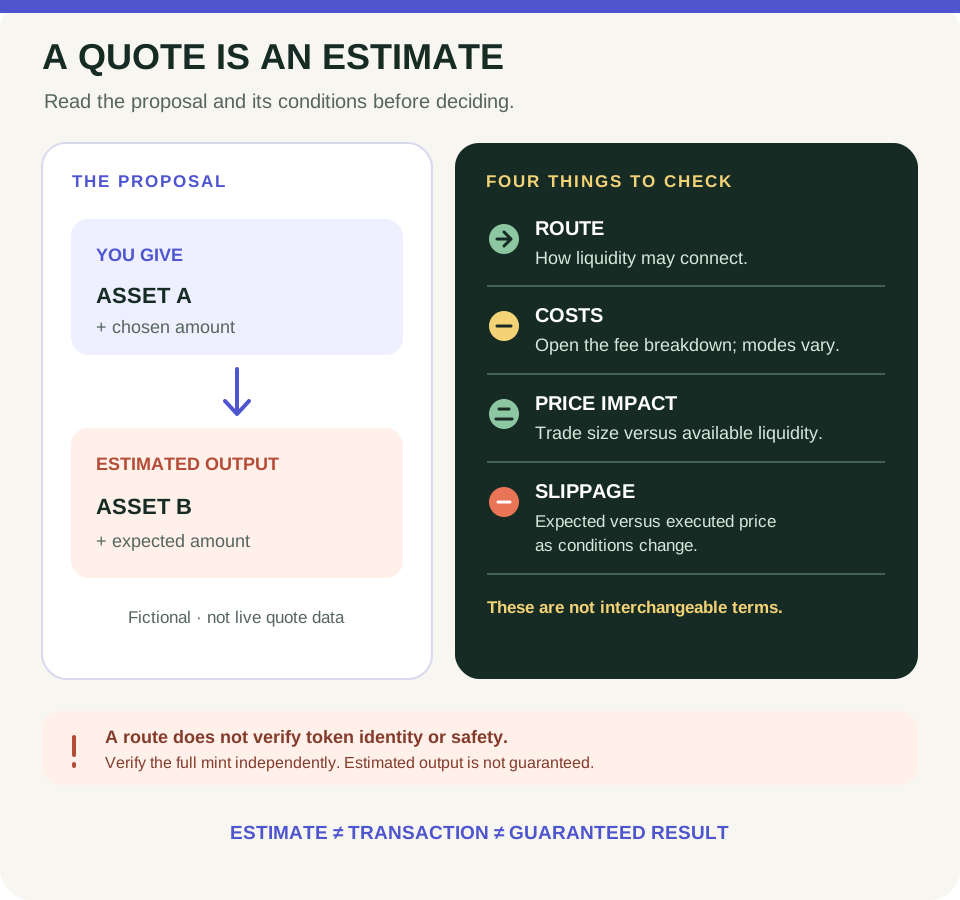
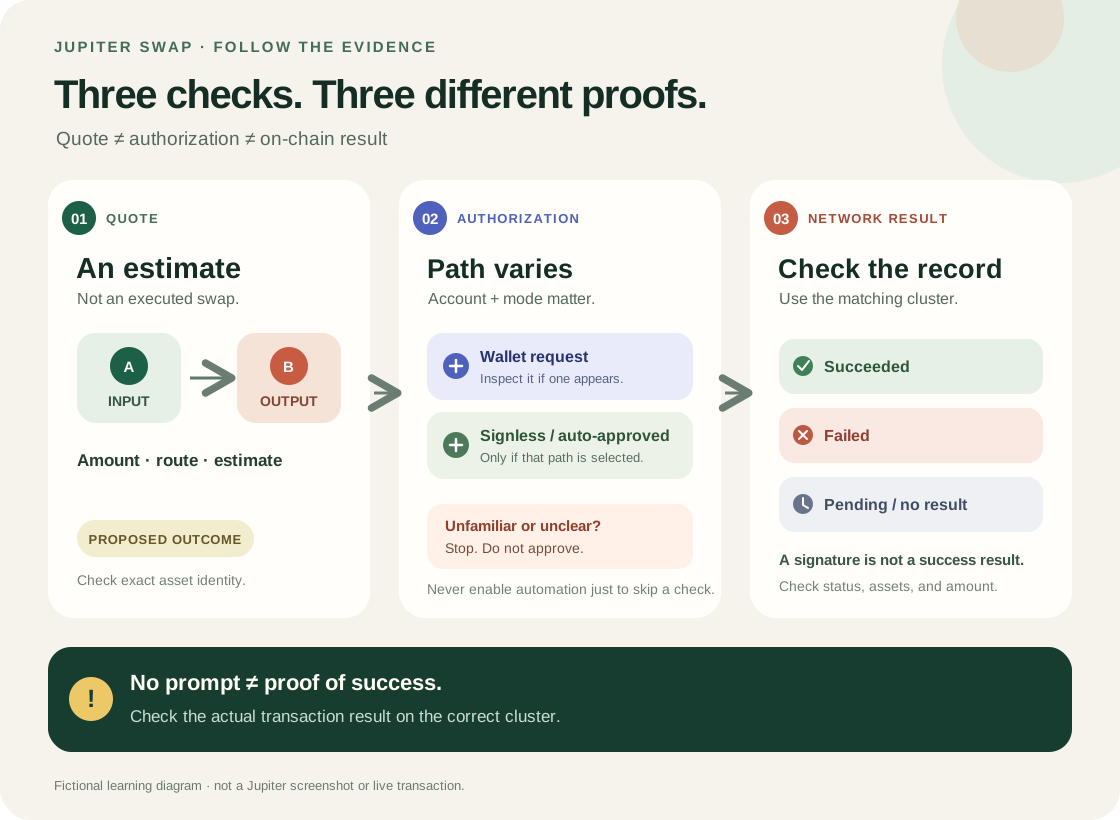
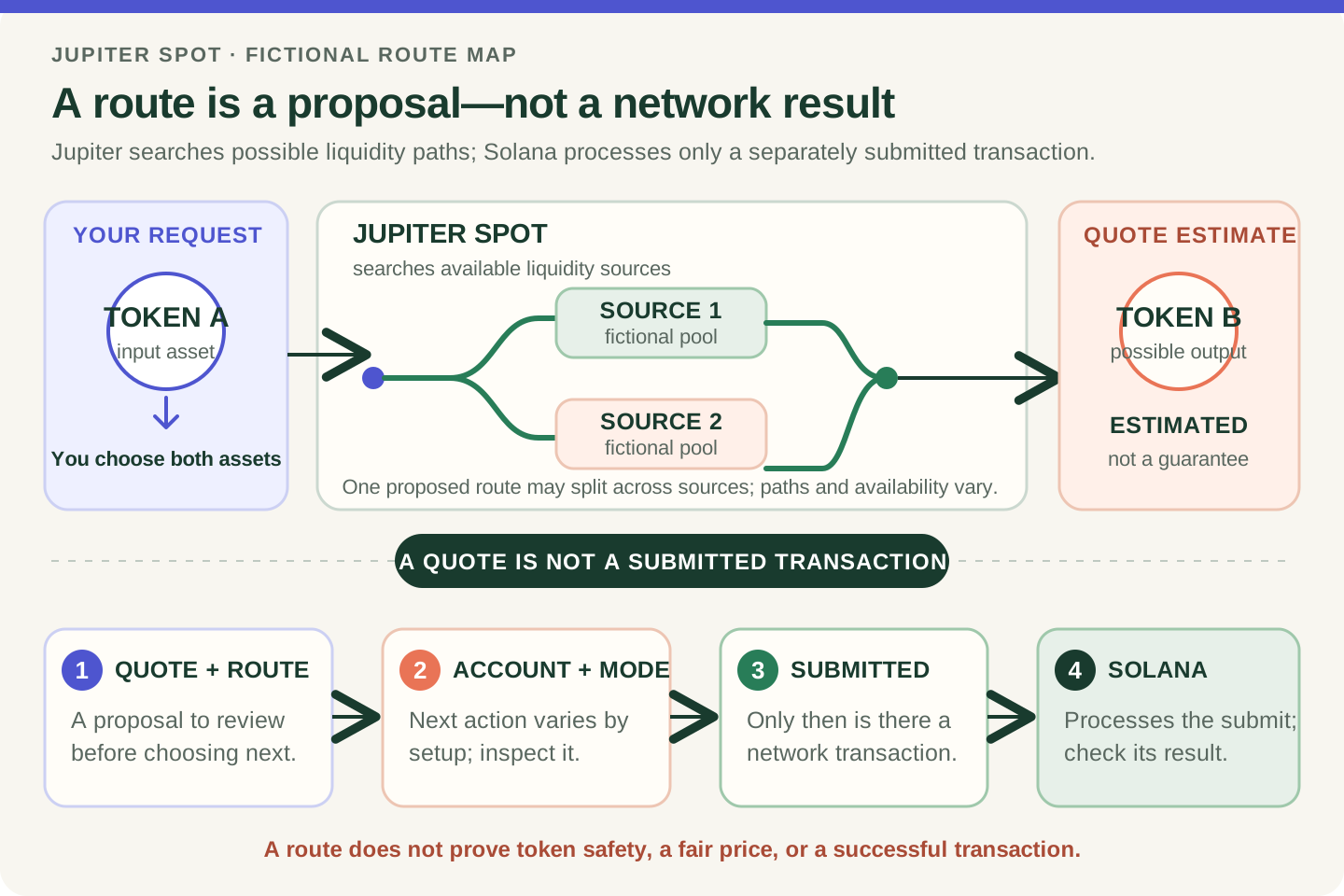
Schematic only—not a Jupiter screenshot or live quote. Read current interface fields and fees for the selected mode; an estimate or route does not prove token identity or safety.
- Confirm the network, exact input and output mint addresses, and the amount you chose.
- Treat the output amount as an estimate; a route describes possible liquidity sources, not an endorsement.
- Review the current fee breakdown and selected execution mode; costs and controls can vary.
- Price impact concerns trade size versus liquidity. Slippage is the difference between expected and executed price as conditions move.
Which fictional output mint would you stop to check if its ticker matched your plan but its full address did not?
The short answer
A Jupiter swap quote is a time-sensitive estimate for exchanging one token for another. It can show which assets and amounts are involved, an estimated output, a route, and costs or execution settings. A quote is an estimate, not a guarantee, completed transaction, or token-safety check.
Read the quote in this order
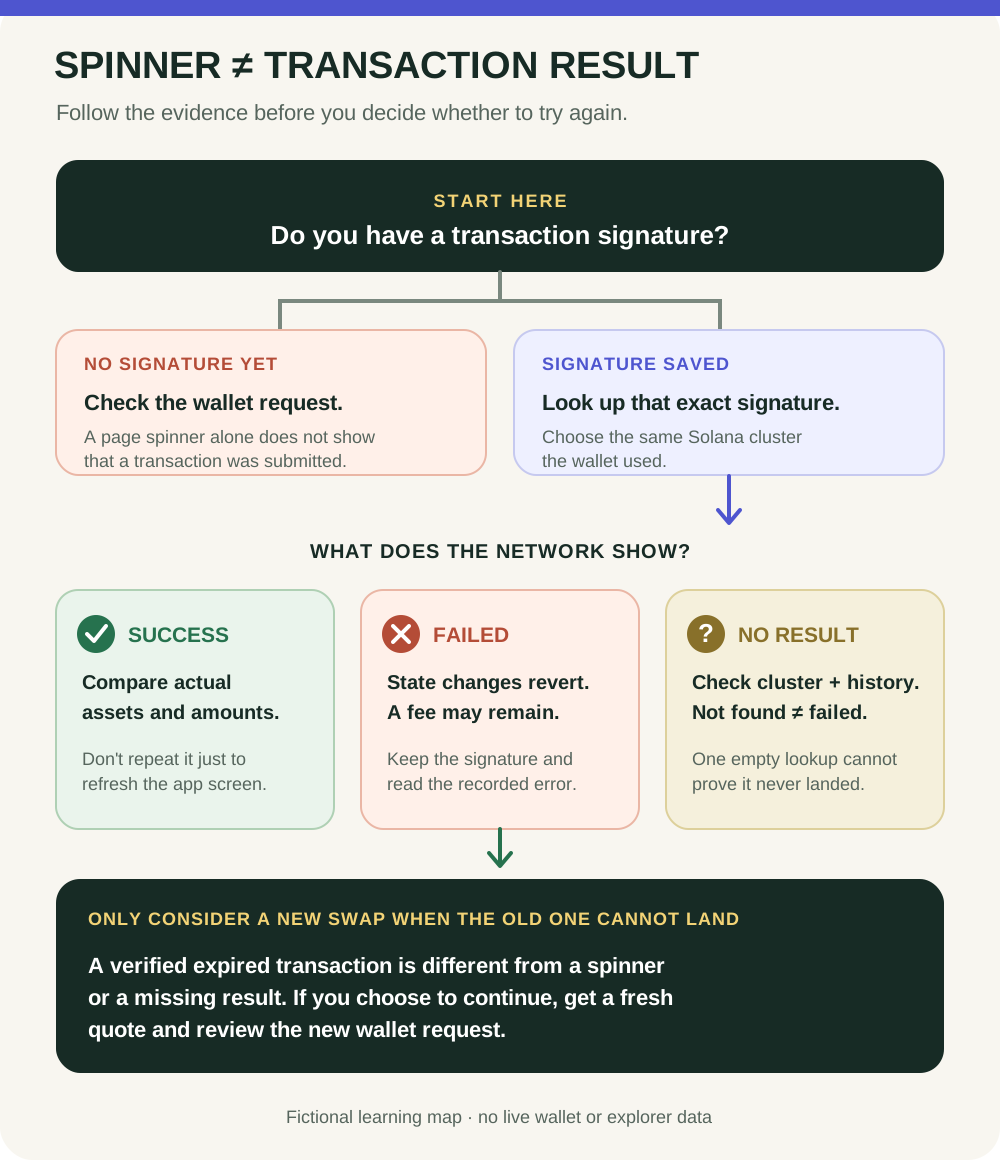
1. Verify identity first. Check the network and the full input and output mint addresses against a trusted source. A ticker, logo, search result or Jupiter listing alone does not prove that a token is the one you intended. For $STONKB, use the identity checks in the token-address guide. 2. Compare what goes in with what is estimated to come out. Confirm the input asset and amount, then read the output asset and estimated amount. Do not confuse the estimate with a guaranteed receipt. Number formats and labels can differ by interface settings. 3. Inspect the route and costs. A route describes how an exchange may use available liquidity sources; it is not an endorsement of the output token or proof that the trade will succeed. Jupiter's current Spot fee guide says fees are shown before confirmation. In the swap form, expand the compact rate summary to review the fee breakdown and network fee; the route dialog shows the full path and venue splits. The layout can change, so inspect the quote you actually have. Jupiter says Solana network fees are separate from its own commission and may still be paid if a trade fails. After an error, check transaction status before retrying. Depending on product, mode and account setup, other disclosed execution costs may also apply. 4. Keep price impact and slippage separate. Price impact estimates how the trade size may move the price relative to available liquidity. Slippage is the difference between an expected and executed price when conditions change before the trade lands. They are related execution risks, not interchangeable labels or proof that a token is safe.
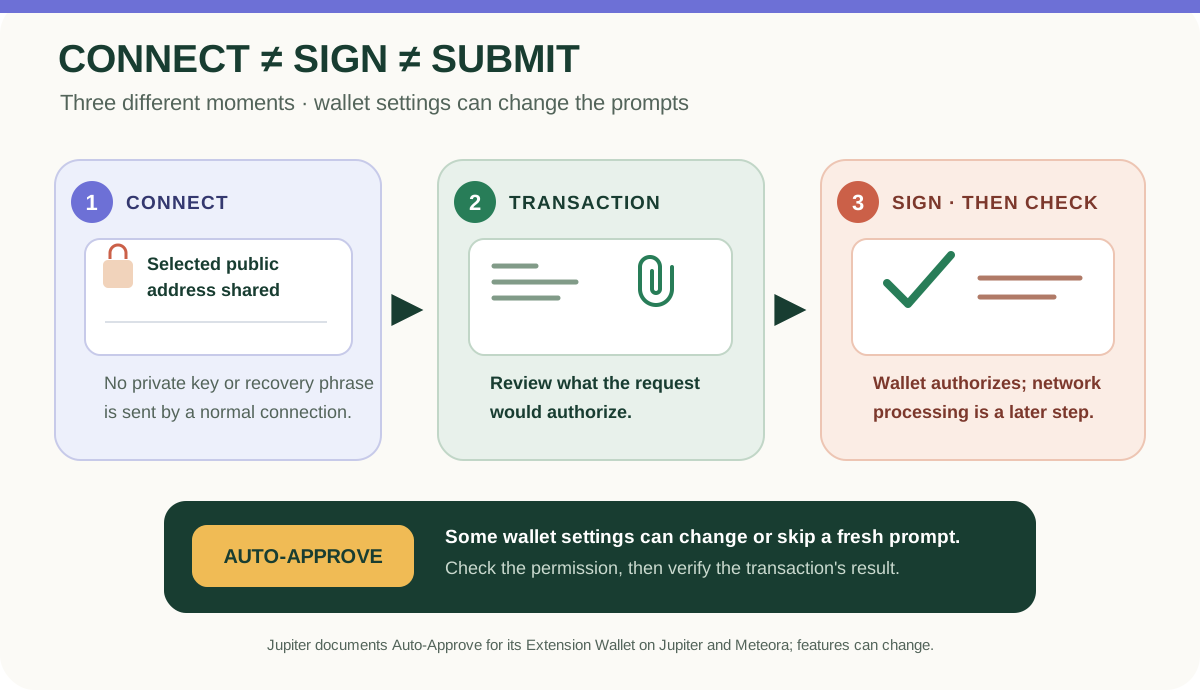
Jupiter Spot currently documents Ultra and Manual execution modes with different slippage and transaction-broadcasting behavior. Wallet or account settings can also change whether a separate approval prompt appears. Do not assume every quote ends with the same screen or signing sequence; check the current mode and permission settings.
A no-money rehearsal
Imagine a fictional quote: you choose ASSET A, but its ticker is also used by unrelated tokens. The displayed output name looks familiar, while the full output mint does not match your independent project reference. Stop there. Do not let a promising estimated output, low-looking fee or familiar logo outweigh an identity mismatch.
For a broader pre-action review, use the Jupiter swap checklist. If you later choose to proceed and the transaction appears stuck, check the existing signature and network result before considering any further action in the pending-or-failed guide.
What a quote cannot tell you
A quote can become outdated as liquidity and market conditions move. A route or favorable estimate does not prove that a token is legitimate, liquid enough for a future sale, suitable for you, or free of loss risk. Jupiter's own risk guidance notes that slippage, price impact and token risks remain; its indicators are not guarantees. You can learn the checks without opening a wallet, connecting an account, buying an asset or signing anything.
Check your understanding.
Which statement best distinguishes price impact from slippage?
A correct answer records local learning progress, not a qualification or proof of financial readiness.
Put this lesson in context
Read the quote before the transaction: follow the route from Jupiter basics to costs and results.
Sources & context
- Jupiter Documentation — Jupiter Spot ↗Consulted 2026-10-03
- Solana documentation — Fee Structure ↗Consulted 2026-10-11
- Solana Documentation — Tokens, mints, and token accounts ↗Consulted 2026-10-10
- Jupiter Documentation — Jupiter Spot fees ↗Consulted 2026-10-03
- Jupiter Documentation — Jupiter Spot risks and limitations ↗Consulted 2026-10-03
Original educational content prepared for this project. Sources provide context, not endorsement or a guarantee that every statement remains current. Rules, product interfaces and availability can change.
Keep learning in Telegram.
Open this published guide in the learning bot. No account connection or wallet is needed.
Join the $STONKB community.
Follow project updates, share useful ideas and meet other builders. You do not need to buy $STONKB to join.
Take what you learned.
Leave the pressure behind.