This guide is educational, not personalized financial, legal or security advice. A checklist reduces avoidable mistakes; it cannot make a transaction risk-free.
Treat a lost phone as two incidents
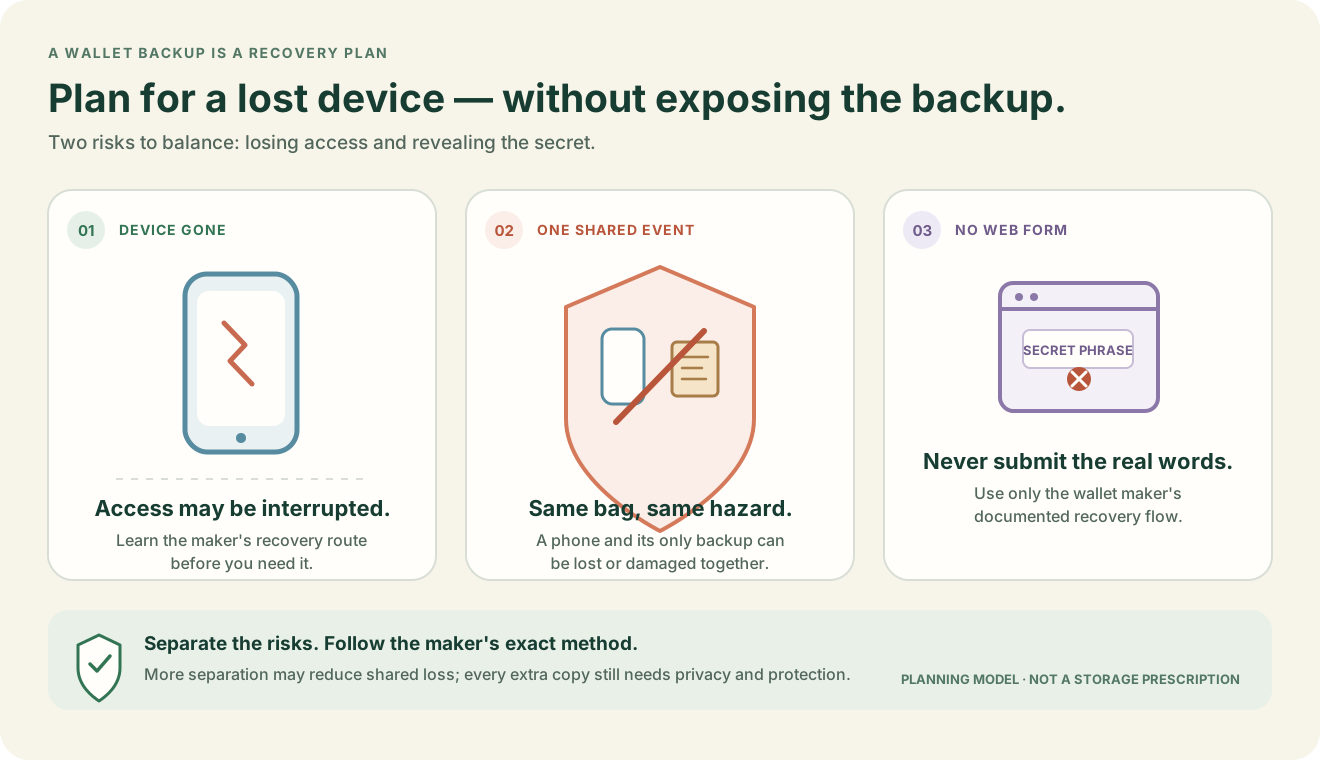
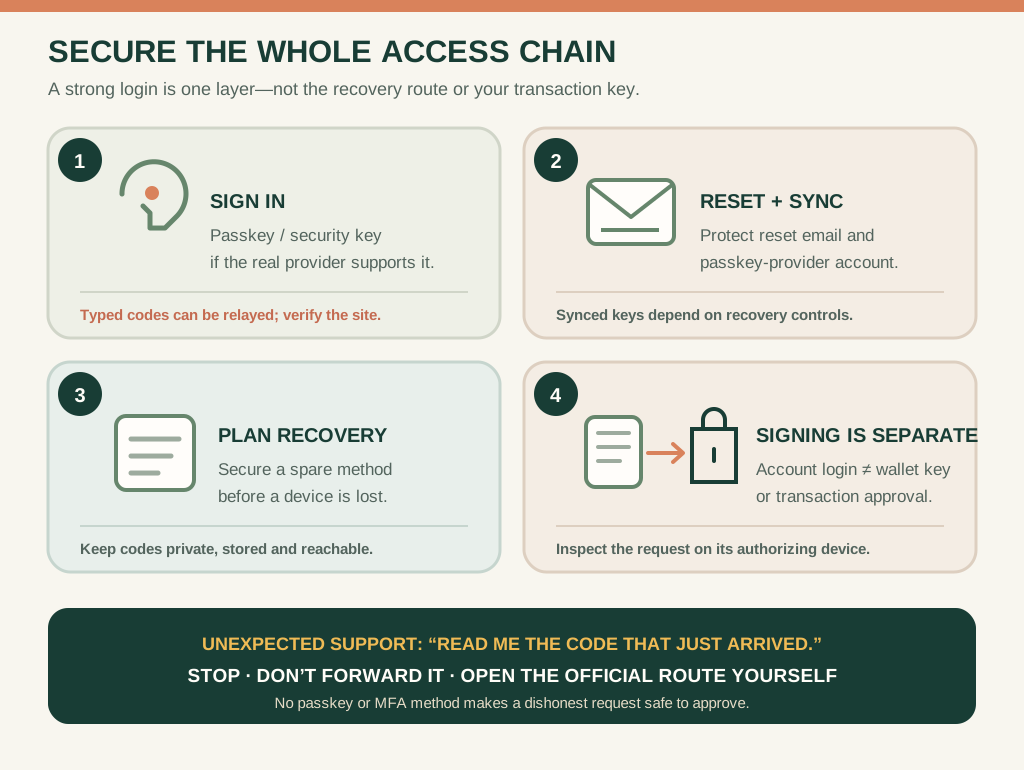
A lost phone raises an access question and a recovery question. First, could someone unlock the device, read notifications or use an already-open wallet? Second, can you restore the intended accounts on a replacement device? The answer depends on the screen lock, wallet configuration, account type and backup method. Start the response through the wallet maker or provider's official route, not through a stranger who offers recovery.
If a custodial account was logged in on the phone, revoke sessions, change the password from a trusted device and review the provider's device-loss procedure. If the wallet was self-custodied, the loss of the phone does not automatically mean the keys are lost, but it does make the backup and recovery model urgent.
Run a recovery drill before the emergency
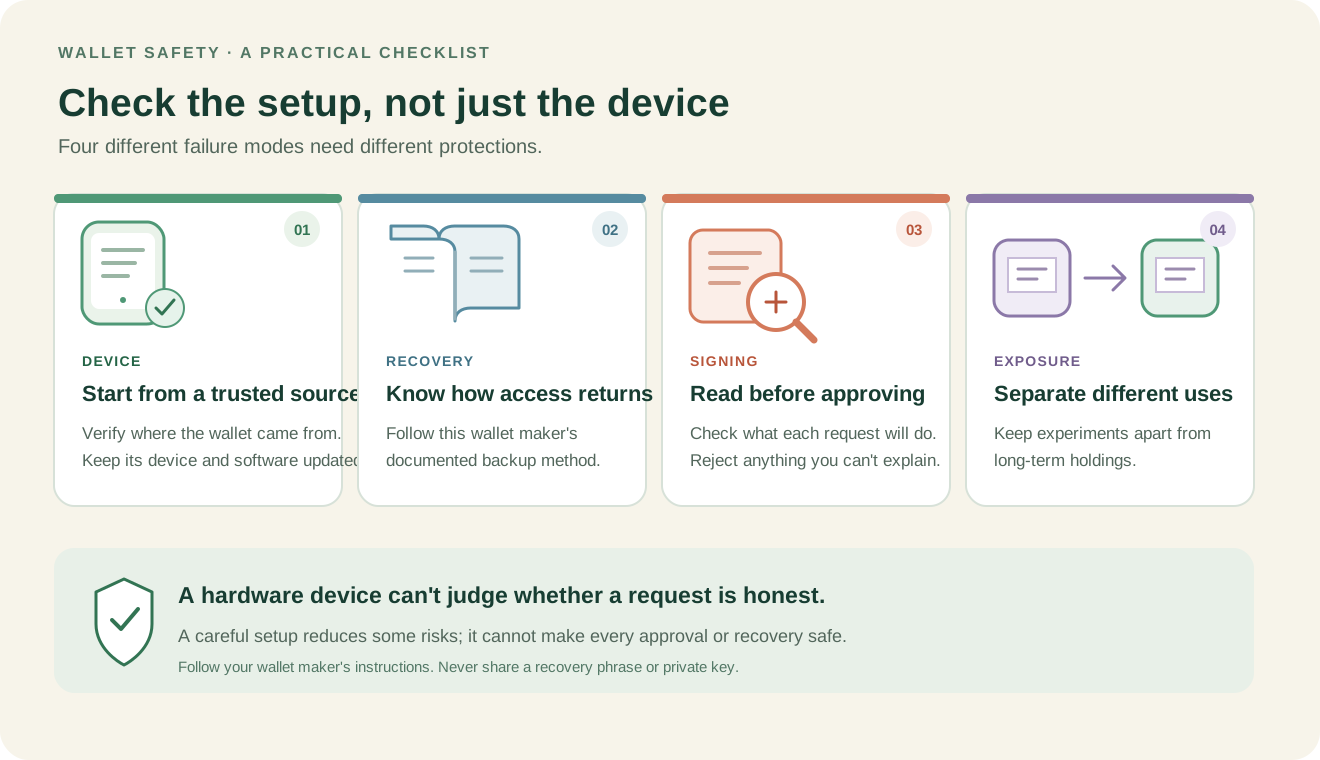
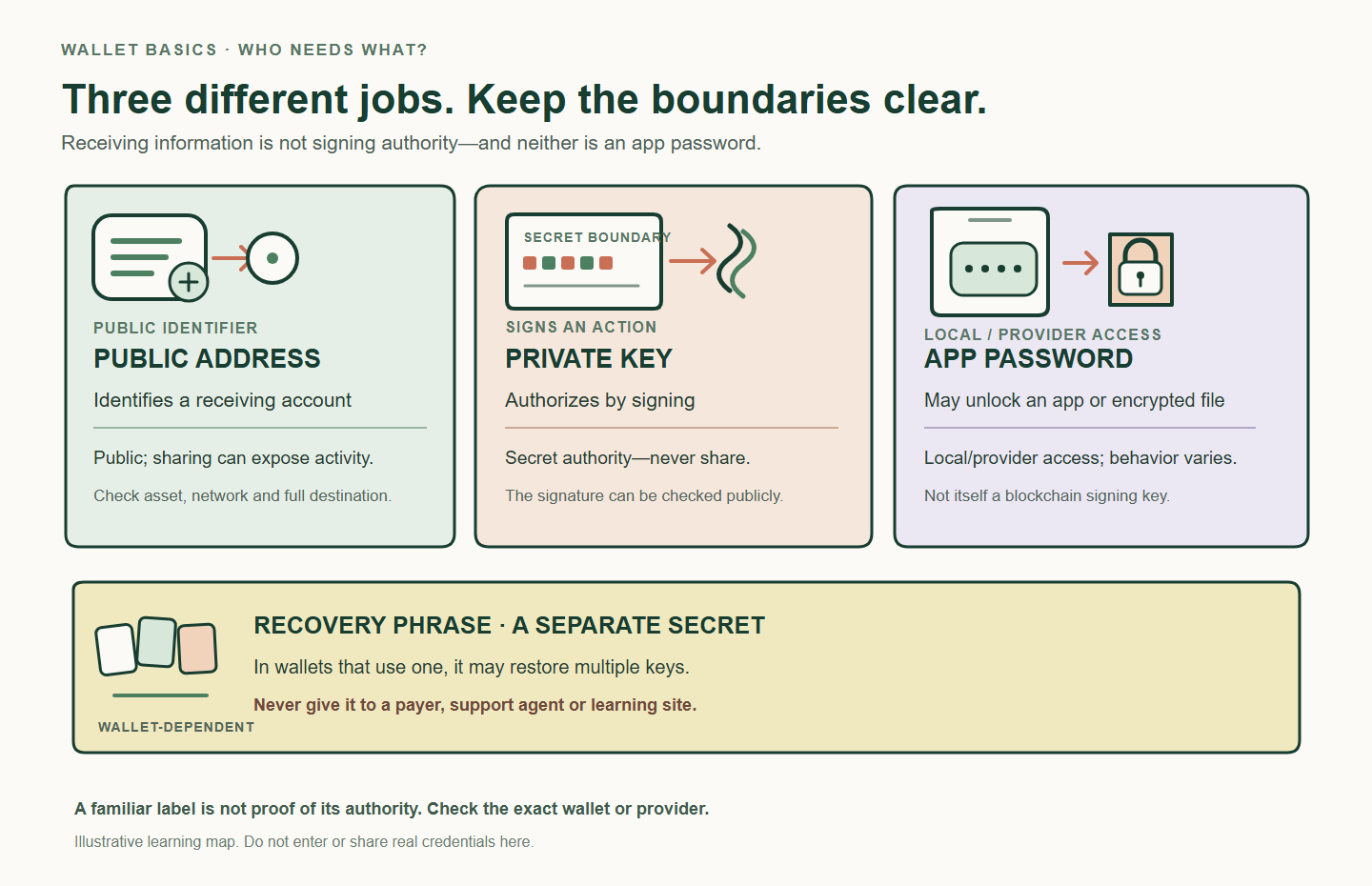
Write down which accounts are covered by which backup. A recovery phrase may restore deterministic accounts but not a separately imported private key, an additional passphrase or a network-specific configuration. Use the maker's documented backup-check or recovery process where available. Never paste a real phrase into a browser, online checker or support form.
A drill that reveals a gap
You restore the main wallet on a replacement phone and see the expected account, but an imported account is missing. That does not necessarily mean the funds disappeared; it may mean the original backup did not cover that key or the wallet has not restored the correct account path. Discovering this while the original device still works gives you time to follow the exact documentation and correct the record.
Before wiping anything
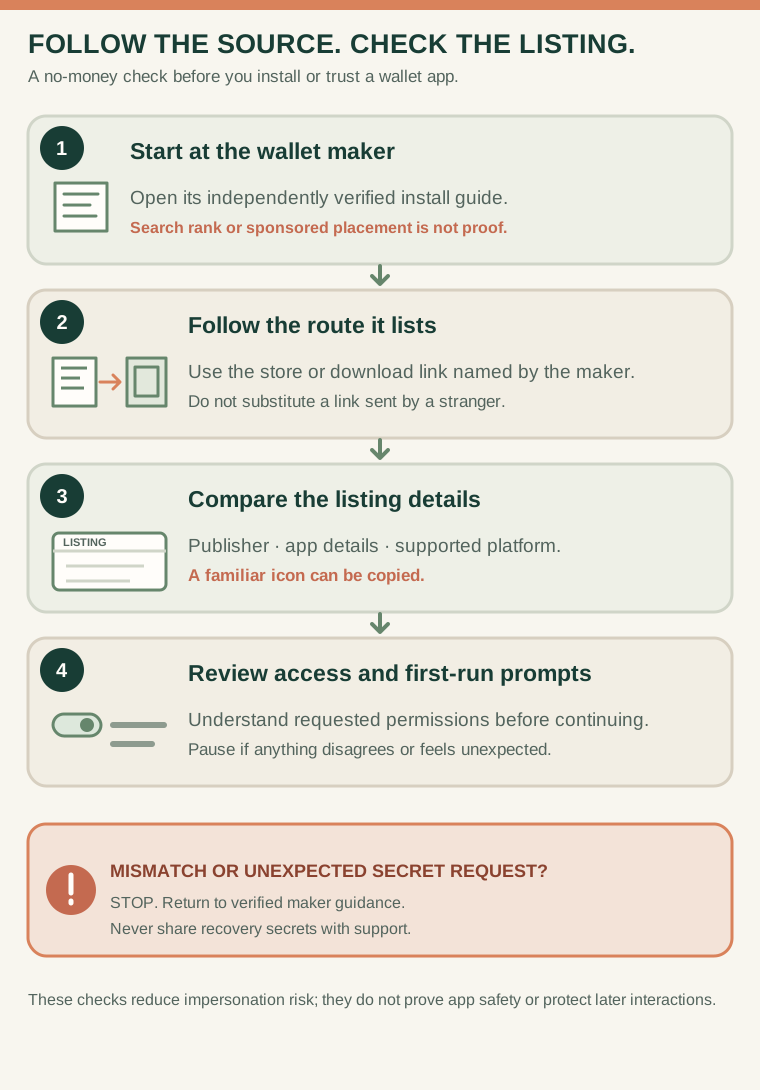
Do not erase the only working device until the recovery method has been verified and non-secret account details have been documented. Keep recovery material offline and private. For the underlying backup boundary, read recovery phrases explained and how to check that a wallet app is genuine.
Check your understanding.
When is the best time to test recovery understanding?
A correct answer records local learning progress, not a qualification or proof of financial readiness.
Put this lesson in context
Start with who controls the keys. Continue to recovery and backup planning before connecting an application.
Sources & context
- ethereum.org — Ethereum wallets ↗Consulted 2026-10-10
- Bitcoin.org — Securing your wallet ↗Consulted 2026-10-11
- ethereum.org — Security and scam prevention ↗Consulted 2026-10-11
Original educational content prepared for this project. Sources provide context, not endorsement or a guarantee that every statement remains current. Rules, product interfaces and availability can change.
Keep learning in Telegram.
Open this published guide in the learning bot. No account connection or wallet is needed.
Join the $STONKB community.
Follow project updates, share useful ideas and meet other builders. You do not need to buy $STONKB to join.
Take what you learned.
Leave the pressure behind.