This guide is educational, not personalized financial, legal or security advice. A checklist reduces avoidable mistakes; it cannot make a transaction risk-free.
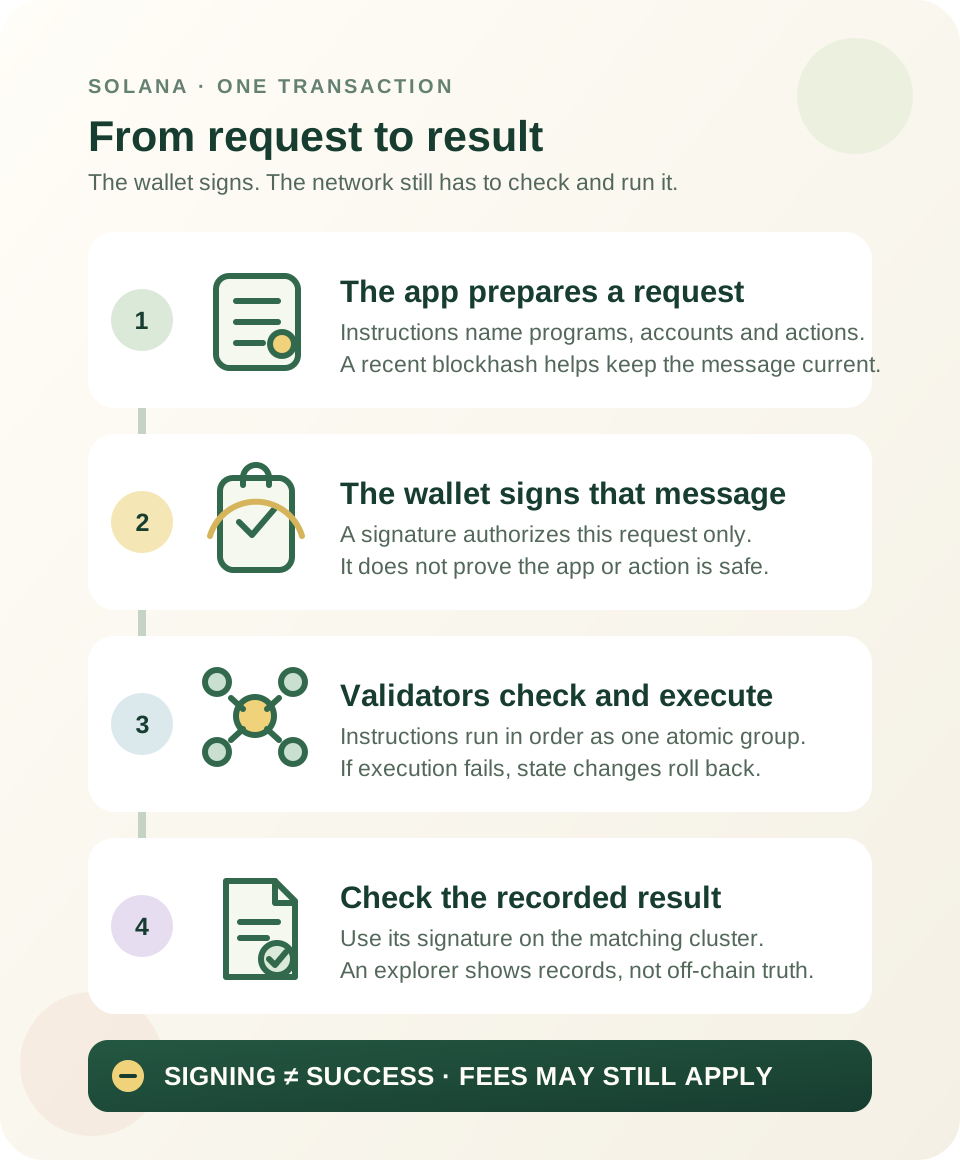
A wallet signature authorizes the request; the network must still validate and execute it. Failed execution can roll back state changes while a fee is still charged.
- An application assembles instructions, account references and a recent blockhash into a request.
- The wallet signs the transaction message; this does not certify the app or guarantee success.
- Validators check and execute the instructions together; an execution failure rolls back state changes, but may still cost a fee.
- Use the transaction signature on the matching Solana cluster to inspect the recorded result.
Point to the step where user authorization happens, then the separate step where the network decides whether execution succeeds.
One request can contain several instructions
A Solana transaction is a signed message that asks the network to perform one or more instructions. An instruction identifies a program, the accounts it needs, and data describing the requested action. A wallet or application assembles those pieces into a message that also includes a recent blockhash. Solana's transaction documentation describes this message and its instructions.
Think of an instruction as one step in a request, not as proof that the step has already happened. A transaction can group several instructions, such as preparing an account and then using it. The exact actions depend on the application and program.
The wallet authorizes the message
An application may prepare a transaction and ask a wallet to sign it. The signature authorizes that particular message; it is not a general approval of the app, token, website, or claims made around the transaction. Wallet interfaces differ in how much of a program's actions they can present in a readable preview.
Pause if the site, network, asset, recipient, amount, fee, or permission request is not what you expected. Never enter a recovery phrase into a website or share it with support. If the request is not understandable from the information your wallet provides, declining is safer than guessing.
Validators check and execute the instructions together
After signing, the transaction is submitted through network infrastructure. Validators check required signatures and other rules, load the referenced accounts, then execute the instructions in order. If an instruction fails during execution, the transaction's state changes are rolled back as a group; earlier steps are not left half-applied. Solana's transaction pipeline documentation describes the execution and rollback stages.
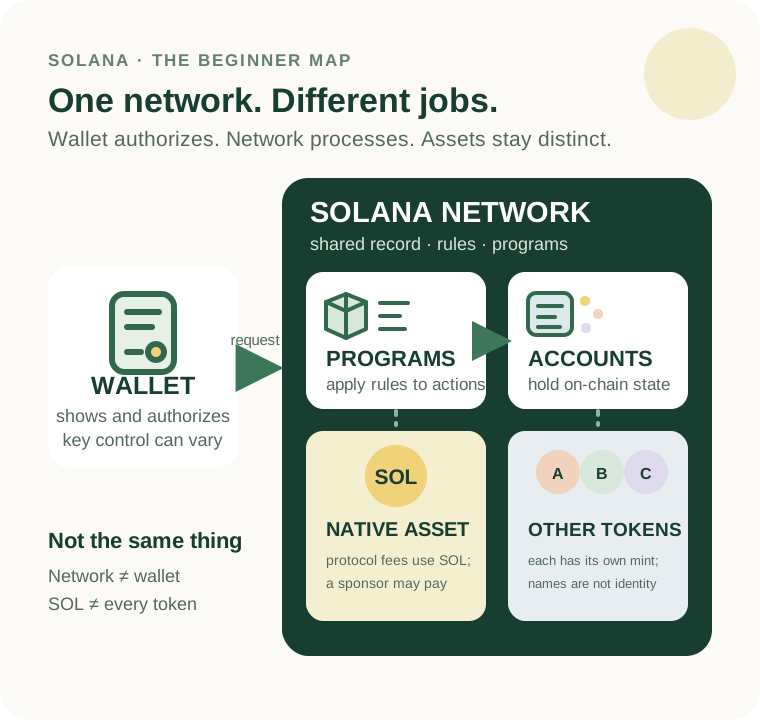
A network fee is a separate consideration. The protocol's fee payer normally pays in SOL, but an application can sponsor the fee or use a fee-abstraction service that covers it or collects payment differently. Solana's fee documentation explains that the network fee is charged even when a transaction fails; its fee-sponsorship guide shows how another account can pay as the fee payer. Check what the wallet request says rather than assuming who pays. If execution fails after the fee payer has been validated and charged, the requested state changes can be rolled back while the network fee remains charged. The exact amount varies; do not assume a failed attempt is cost-free.
A signature is a lookup key, not a safety verdict
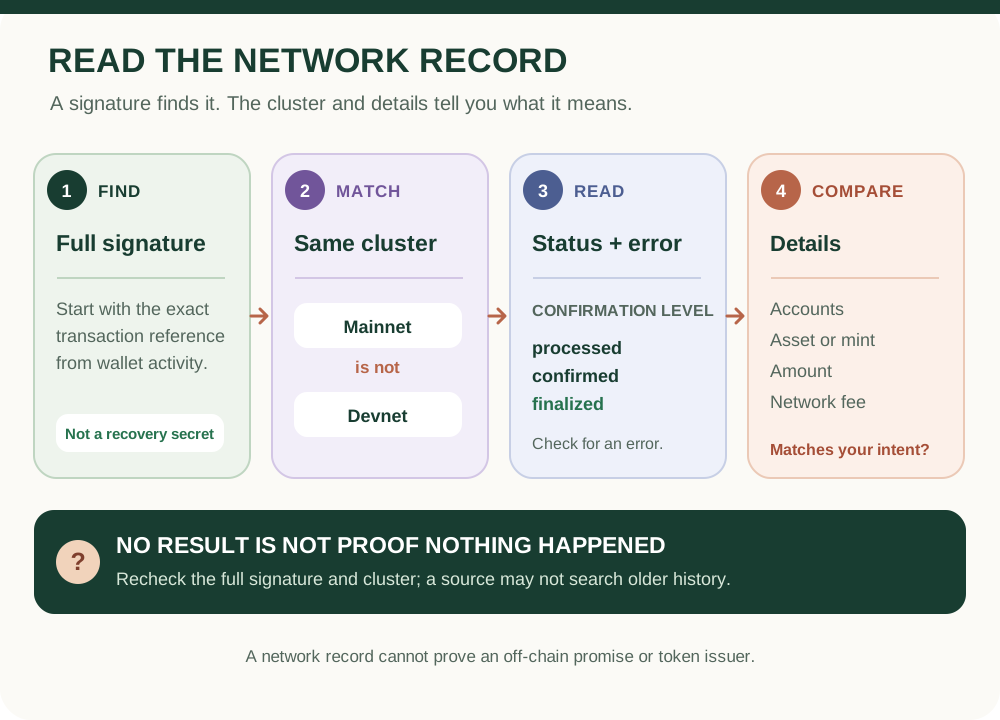
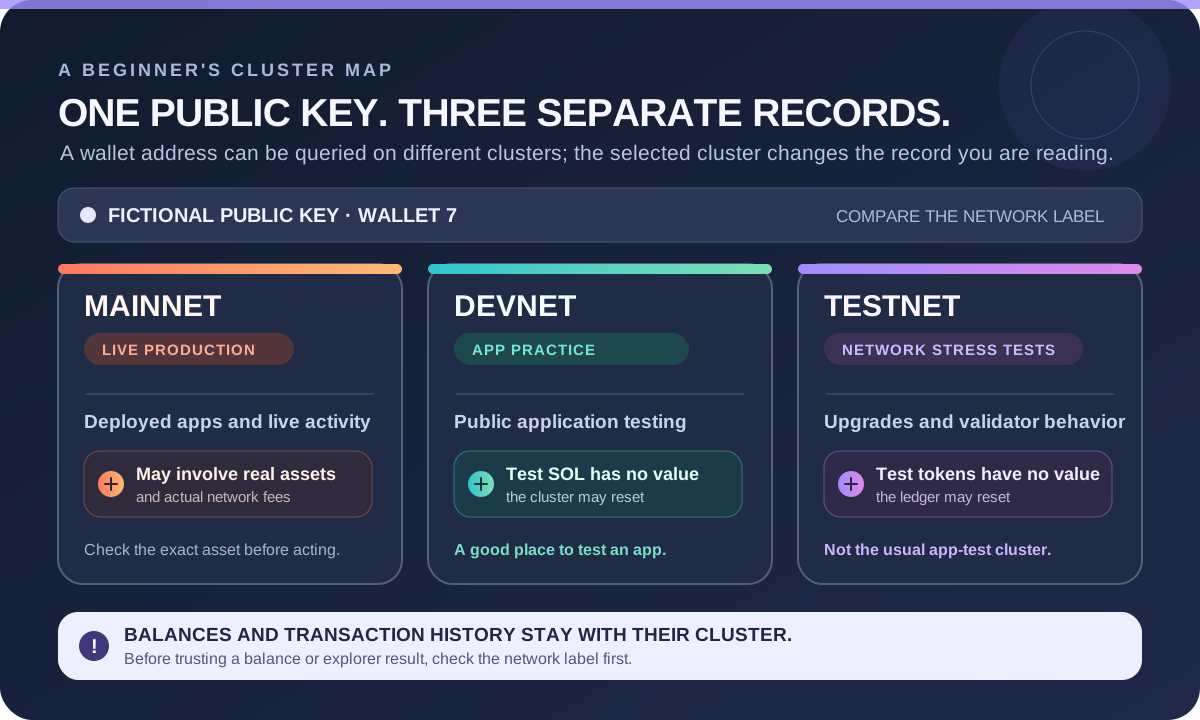
When a wallet shows a transaction signature, use it to check the transaction on an explorer for the same cluster—Mainnet, Devnet, or another network. A submitted signature alone does not prove the transaction was included or succeeded. Solana's getTransaction RPC documentation notes that a lookup can return no record at the requested commitment; treat that response as limited evidence, not a safety verdict. An explorer can show what the network recorded, but it cannot prove that a token is legitimate, that an off-chain promise was fulfilled, or that an application behaved honestly.
A no-money rehearsal
Imagine a fictional swap request with two instructions. The first prepares a receiving token account; the second asks a swap program to exchange assets. The wallet signature authorizes the assembled message. Validators then check and execute it. If the swap instruction fails, the account-creation change does not remain as a partial success, although the fee payer may still be charged. A transaction signature lets you inspect the recorded outcome; it does not make the request safe in retrospect.
Before approving a request
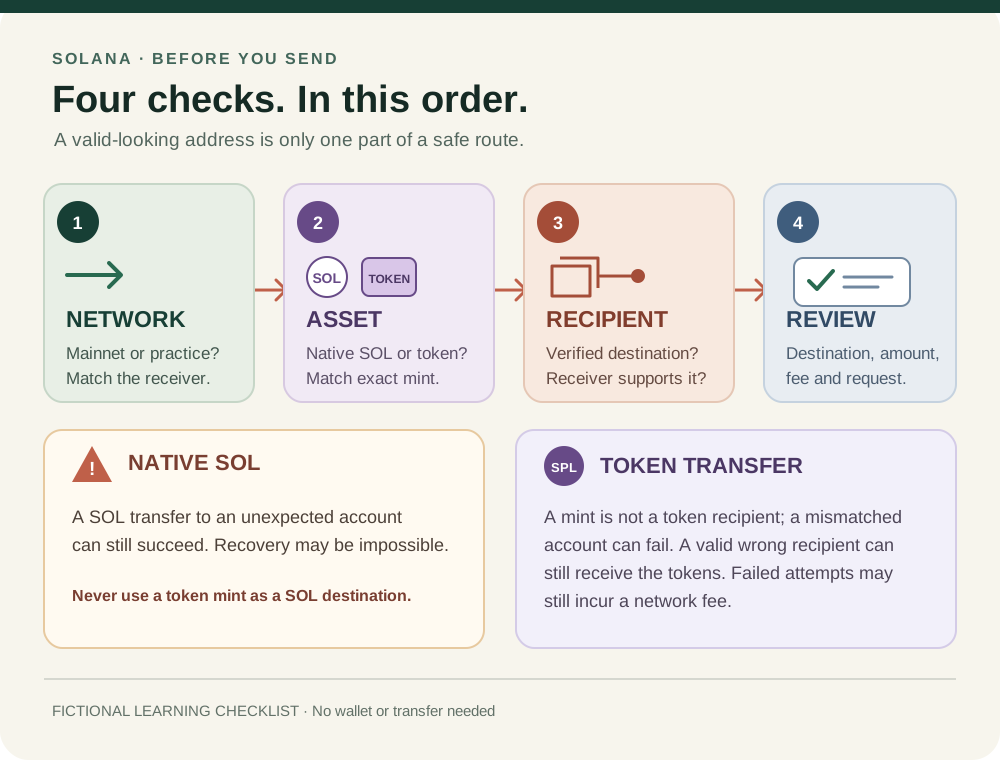
- Confirm the application and network from sources you trust.
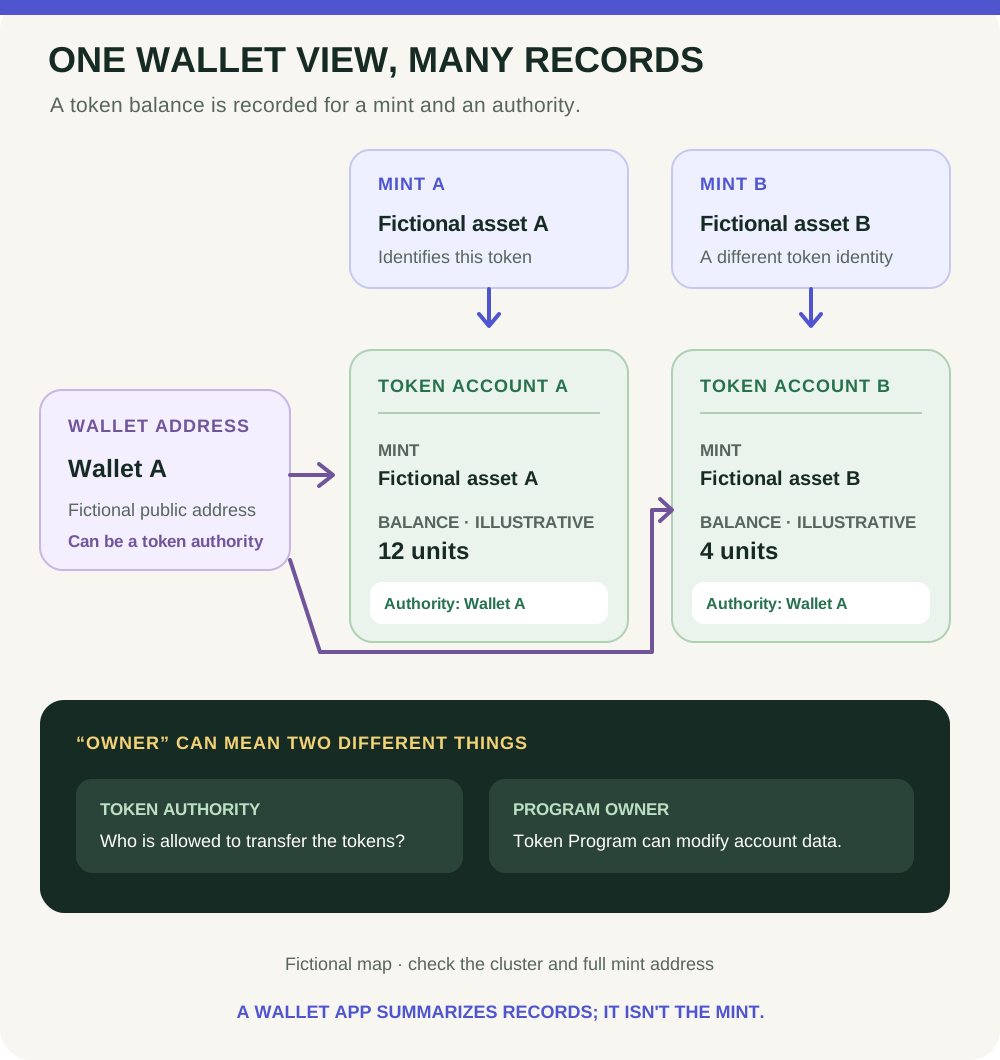
- Match the intended asset by mint/address, not ticker or icon alone.
- Check the recipient, amount, fee and any permissions shown by the wallet.
- Decline if the request is unexpected or too opaque to evaluate.
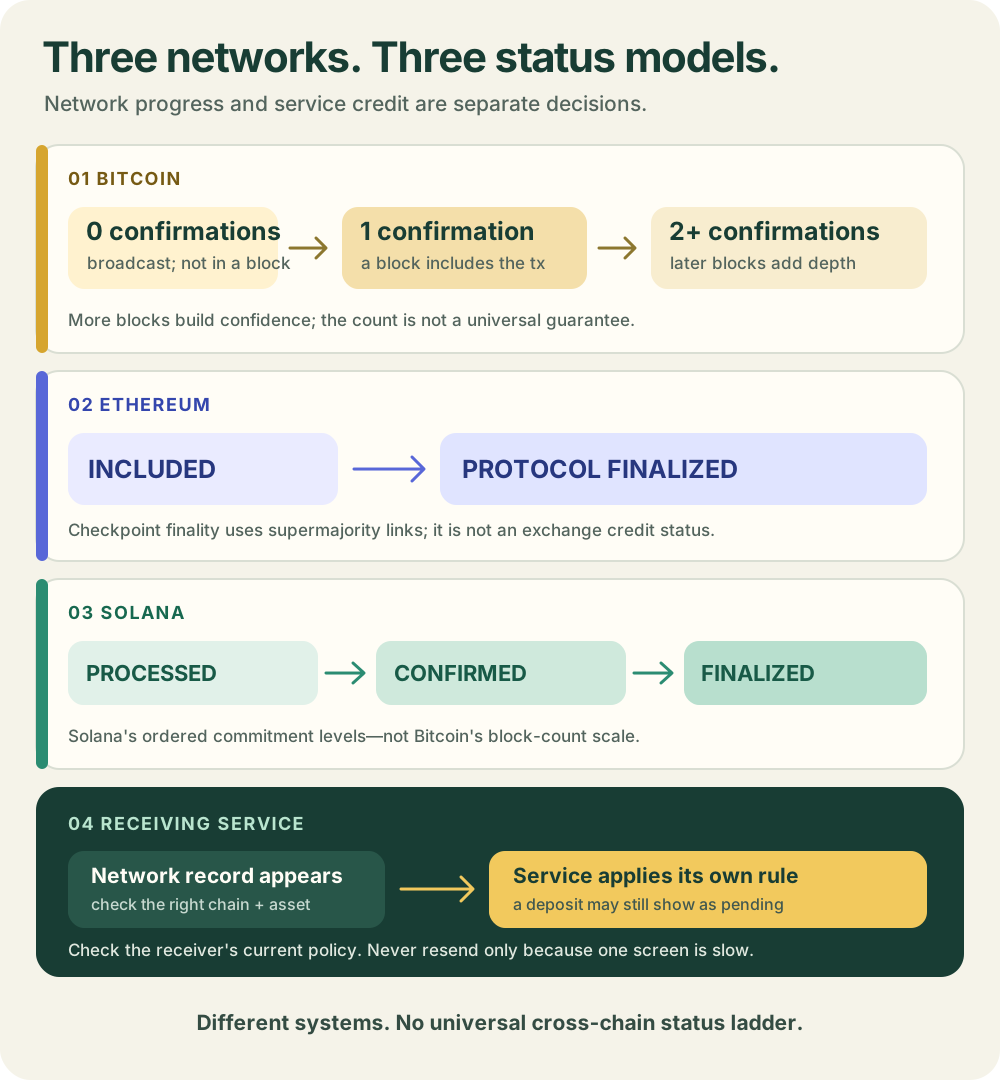
- Afterward, compare the signature and result on the correct cluster; do not submit a duplicate just because a screen is slow to update.
This is a learning guide, not a recommendation to connect a wallet or make a swap. Continue with Solana accounts and token accounts, checking a Solana transaction in an explorer, and pending, confirmed and finalized status.
Check your understanding.
If one instruction in a Solana transaction fails during execution, what happens to earlier state changes in that same transaction?
A correct answer records local learning progress, not a qualification or proof of financial readiness.
Put this lesson in context
Separate the network, SOL and other tokens before learning accounts and transaction results.
Sources & context
- Solana documentation — Transactions ↗Consulted 2026-10-11
- Solana documentation — Transaction pipeline ↗Consulted 2026-10-11
- Solana documentation — Fee Structure ↗Consulted 2026-10-11
- Solana documentation — Fee Abstraction ↗Consulted 2026-10-11
- Solana documentation — Transaction confirmation and expiration ↗Consulted 2026-10-11
- Solana Documentation — Accounts ↗Consulted 2026-10-11
- Solana Documentation — Clusters and public RPC endpoints ↗Consulted 2026-10-11
- Solana documentation — getTransaction RPC method ↗Consulted 2026-10-11
Original educational content prepared for this project. Sources provide context, not endorsement or a guarantee that every statement remains current. Rules, product interfaces and availability can change.
Keep learning in Telegram.
Open this published guide in the learning bot. No account connection or wallet is needed.
Join the $STONKB community.
Follow project updates, share useful ideas and meet other builders. You do not need to buy $STONKB to join.
Take what you learned.
Leave the pressure behind.