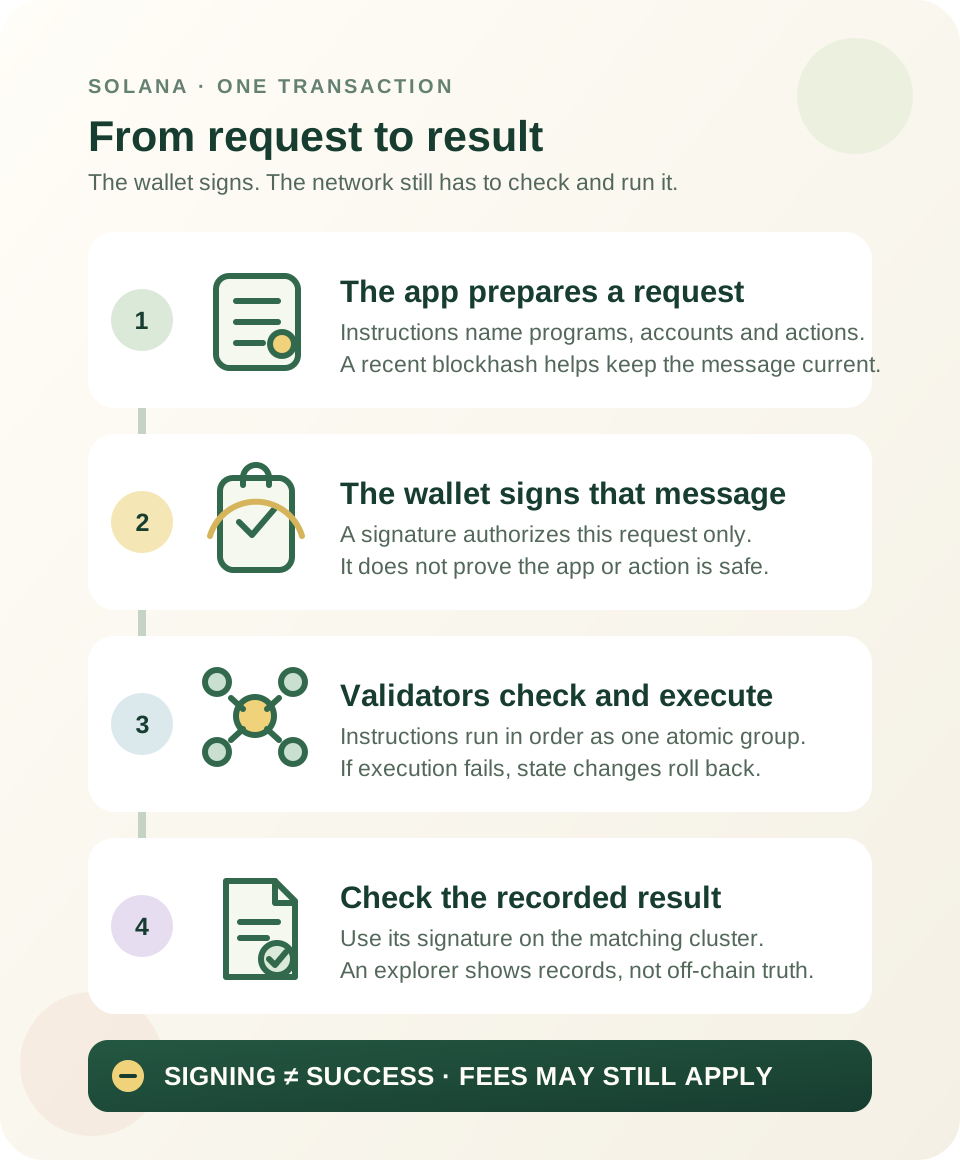
This guide is educational, not personalized financial, legal or security advice. A checklist reduces avoidable mistakes; it cannot make a transaction risk-free.
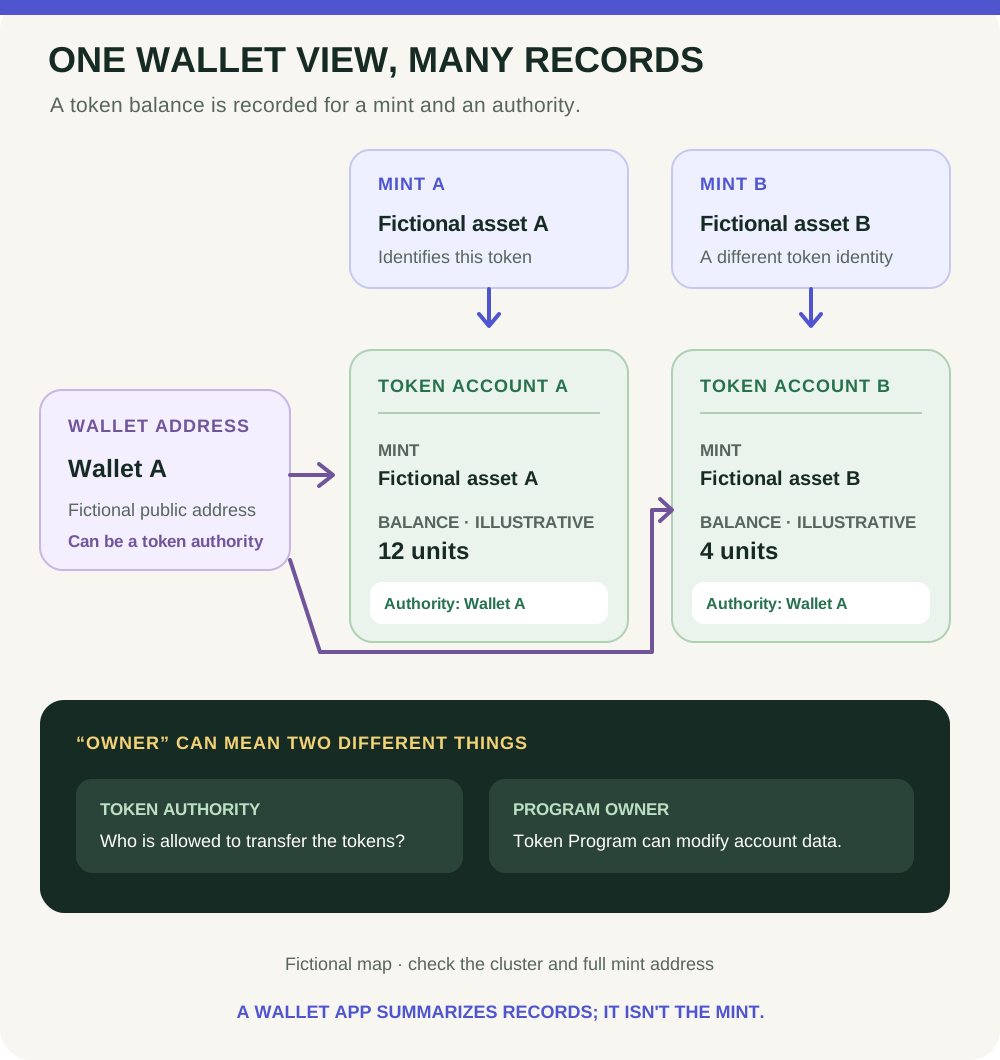
Fictional account map, not a wallet screen or live balance. Confirm the selected cluster and full mint; identical display names do not establish token identity.
- The mint identifies a token on the selected cluster; it does not record your personal balance.
- A token account records an amount for one mint and one token authority.
- One wallet authority may be linked to multiple token accounts; a wallet app can summarize them in one list.
- The token authority and the base account's program owner are different fields: token accounts are owned by a token program.
Two fictional assets both display SAMPLE. Point to the different mint identities and the separate account amounts; explain why the labels alone are not enough.
Your wallet screen is a summary
A wallet app may show one tidy list of assets. On Solana, a token balance is recorded in a token account: an on-chain account tied to one token mint and an authority. A common self-custody wallet address can be the authority for multiple token accounts. The app's display name is a convenience; it is not the token's identity.
Keep three records distinct
- Mint account: identifies a particular token on a particular Solana cluster. It stores token-level information such as supply and authorities; it is not your personal balance. Two assets can use the same ticker or name but have different mint addresses.
- Token account: records a balance for one mint and one token authority. One wallet can be linked to multiple token accounts, often one for each token it displays. An associated token account is the conventional default address derived from an owner address, mint, and token program; it is still a token account.
- Wallet address: in a common self-custody setup, this address appears as the token authority. A custodial service or program-controlled account can use a different arrangement, so do not assume every on-chain token authority is a person's wallet.
There are also two different meanings of “owner” in the account data. A token account's data includes an owner/authority field—the address allowed to transfer the tokens. The base Solana account has a separate program-owner field: for a token account, this is the Token Program or Token Extension Program, which can modify the token-account data. The two owner labels answer different questions.
Read the map before trusting a balance label
In the fictional diagram, the same wallet authority is connected to two token accounts. Each account points to a different mint and stores its own illustrative amount. The wallet interface can summarize those records, but the cluster and full mint address still matter. For the broader roles of Solana, SOL, wallets, and tokens, start with the beginner overview. Before a swap, use the token-address verification guide and Jupiter quote-reading guide.
Practise without a wallet
Two fictional assets both display the name “SAMPLE.” Their mint addresses differ, and each has a separate token-account record. Point to the mint that identifies each on-chain asset, then to the account that records a wallet authority's balance. A matching name is not enough to select one. No wallet, live address, transaction, or token purchase is needed for this exercise.
What these records do not prove
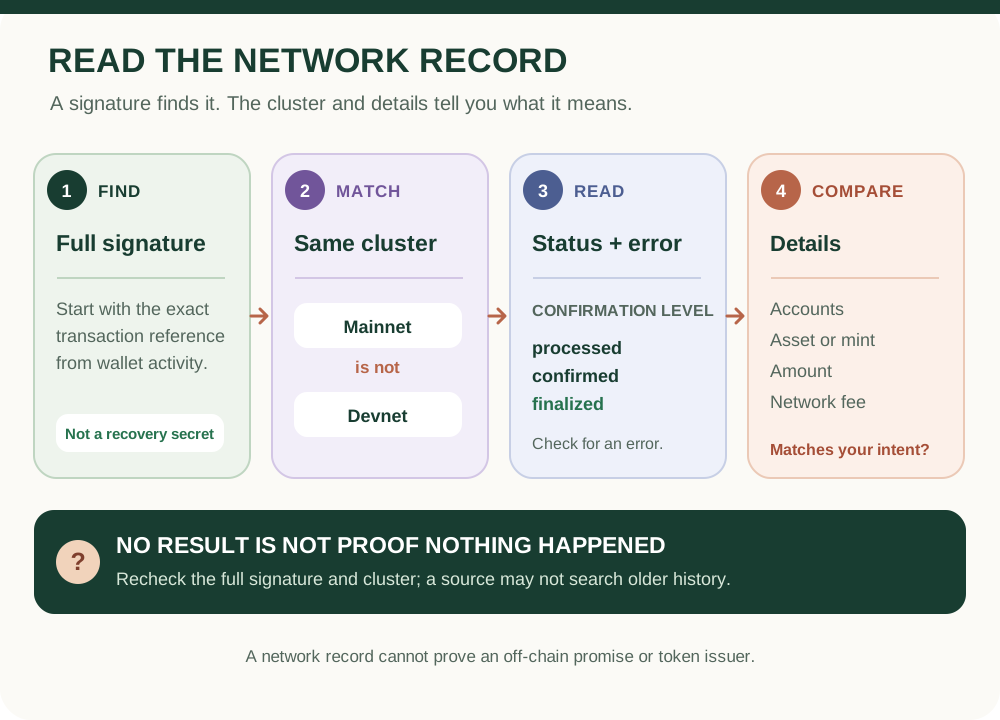
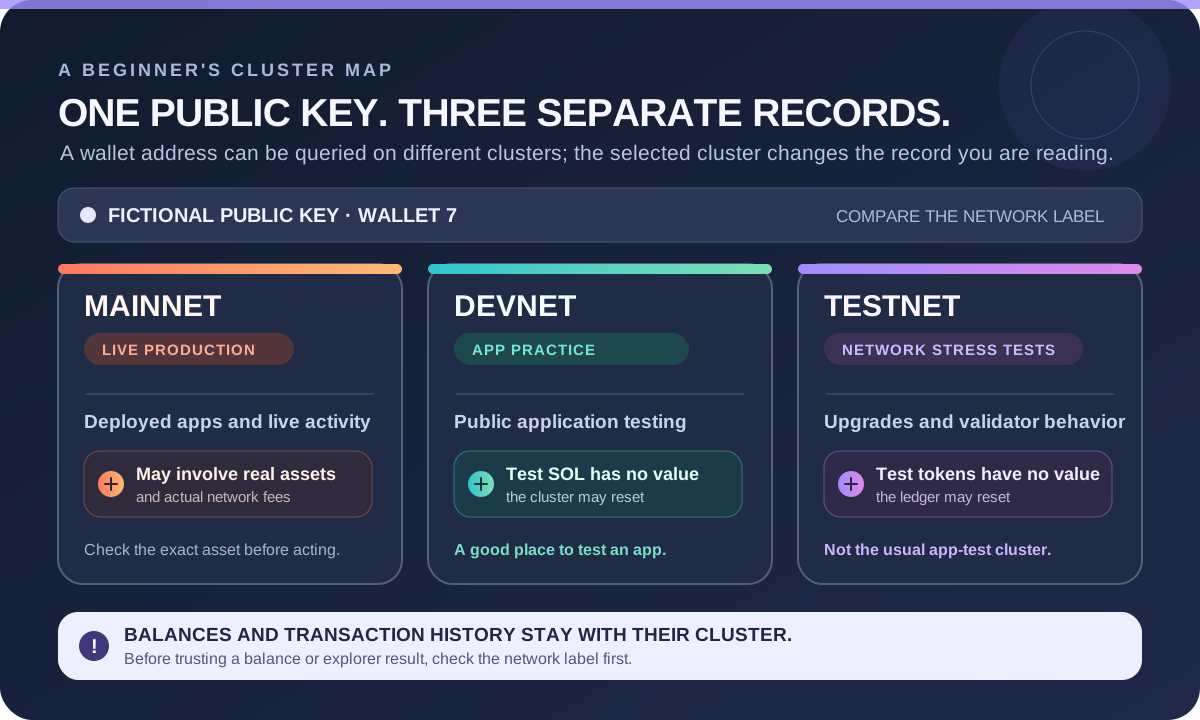
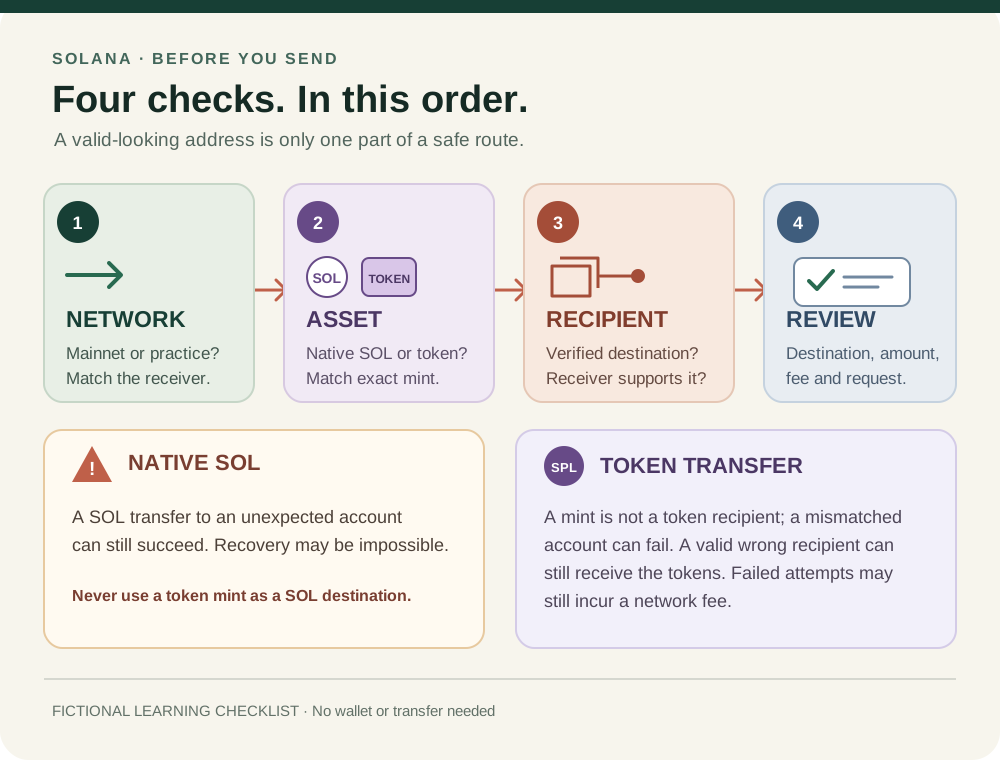
A matching mint lets you identify the on-chain token record on the selected cluster. It does not prove who issued the token, whether a project promise is true, what legal rights exist, whether an asset is safe or liquid, or what it may be worth. Confirm the network and full mint through an independent source you trust; never share a recovery phrase or private key to inspect an address.
Check your understanding.
In Solana account data, what does the owner field inside a token account identify?
A correct answer records local learning progress, not a qualification or proof of financial readiness.
Put this lesson in context
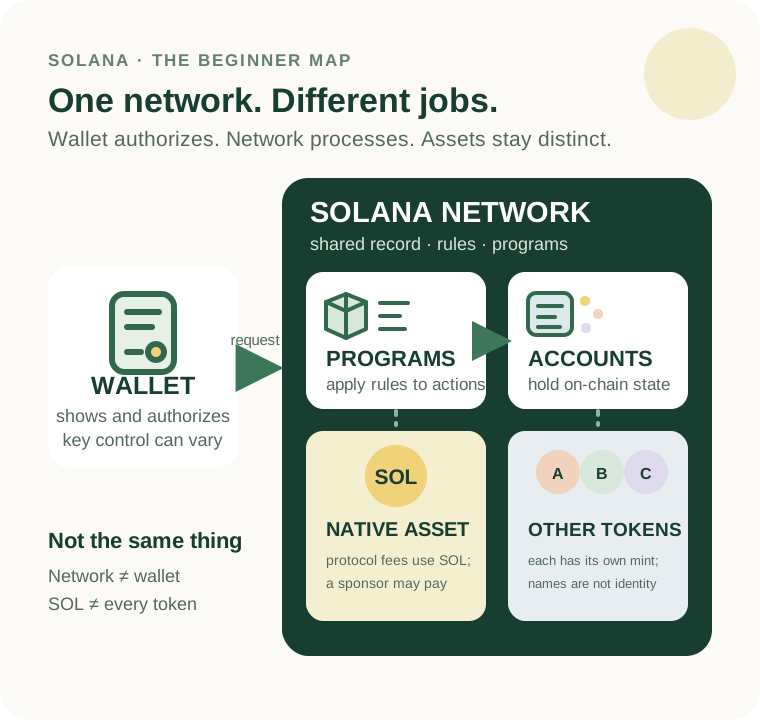
Separate the network, SOL and other tokens before learning accounts and transaction results.
Sources & context
- Solana Documentation — Accounts ↗Consulted 2026-10-11
- Solana Documentation — Tokens, mints, and token accounts ↗Consulted 2026-10-10
Original educational content prepared for this project. Sources provide context, not endorsement or a guarantee that every statement remains current. Rules, product interfaces and availability can change.
Keep learning in Telegram.
Open this published guide in the learning bot. No account connection or wallet is needed.
Join the $STONKB community.
Follow project updates, share useful ideas and meet other builders. You do not need to buy $STONKB to join.
Take what you learned.
Leave the pressure behind.