This guide is educational, not personalized financial, legal or security advice. A checklist reduces avoidable mistakes; it cannot make a transaction risk-free.
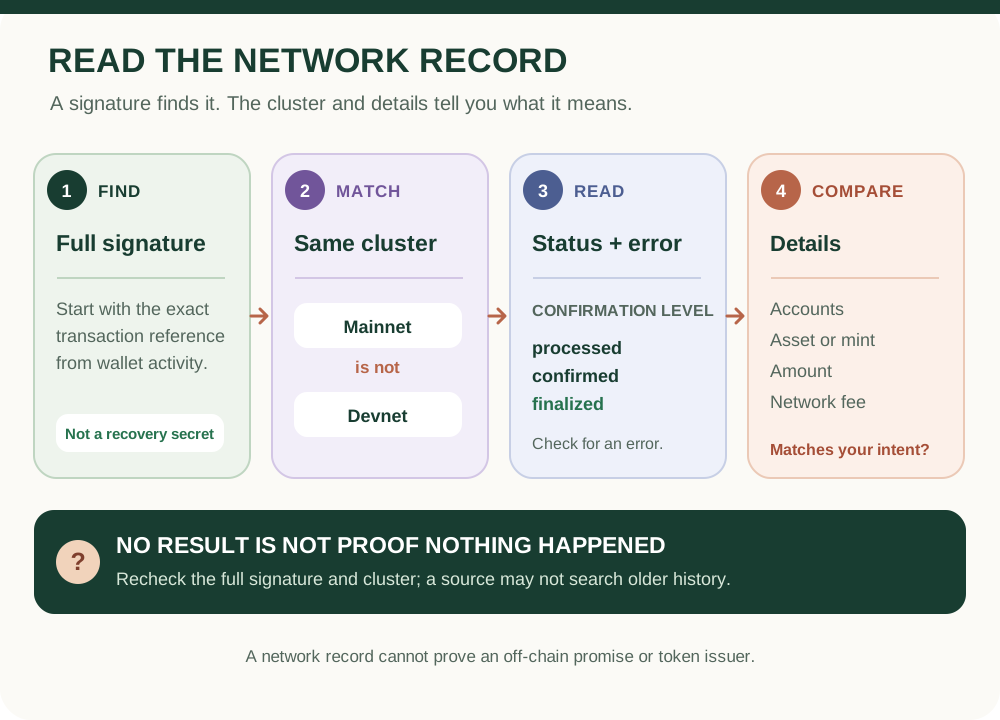
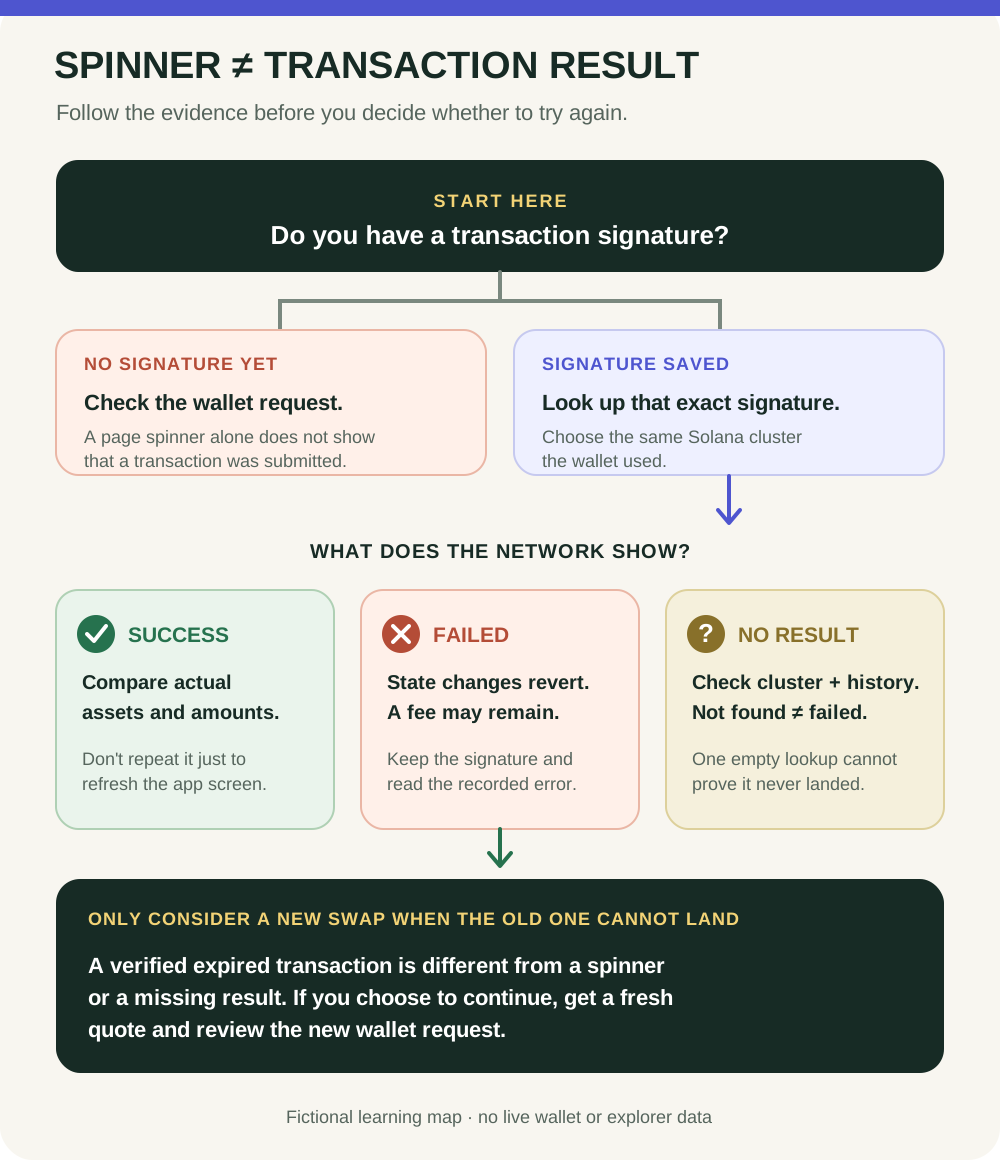
Fictional reading map, not an explorer screenshot or live transaction. Solana clusters are separate, and a lookup may not include older status history.
- Use the full transaction signature from wallet activity; it is public lookup data, not a recovery secret.
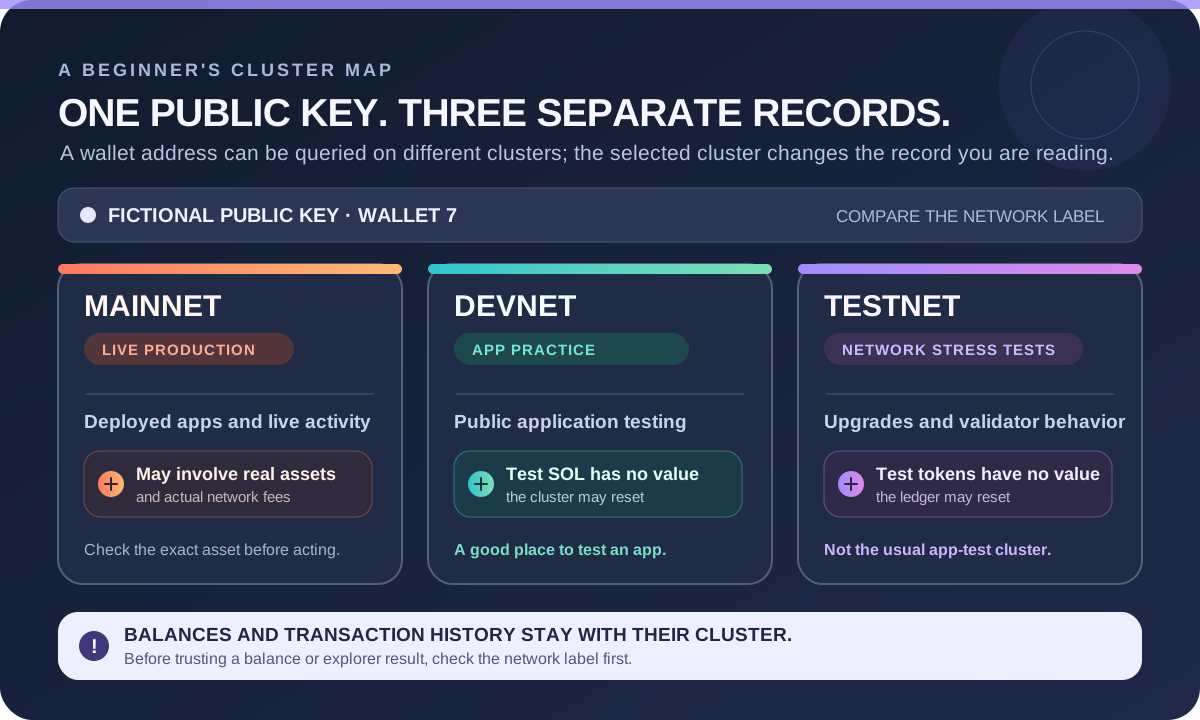
- Choose the same cluster as the wallet. Mainnet and Devnet have separate transaction records.
- Read the reported confirmation level and any execution error together; a level alone is not the whole result.
- Compare the accounts, asset or mint, amount and network fee. A missing result alone does not prove nothing happened.
A fictional wallet shows a Mainnet signature, but the explorer is set to Devnet and says not found. Which one check should come next, and why is the empty result inconclusive?
Start with the exact signature and cluster
A Solana transaction signature is a public reference for looking up a transaction; it is not your wallet password or recovery phrase. Start with the full signature from the wallet's own activity or the service you used. Open an explorer through an address you already trust or enter yourself, then select the same cluster, such as Mainnet or Devnet, that the wallet used. These clusters keep separate ledgers, so a Devnet search cannot confirm a Mainnet payment; Solana's cluster guide describes their separate purposes. Avoid lookup links sent by strangers or unsolicited support accounts.
Read the status and the transaction details together
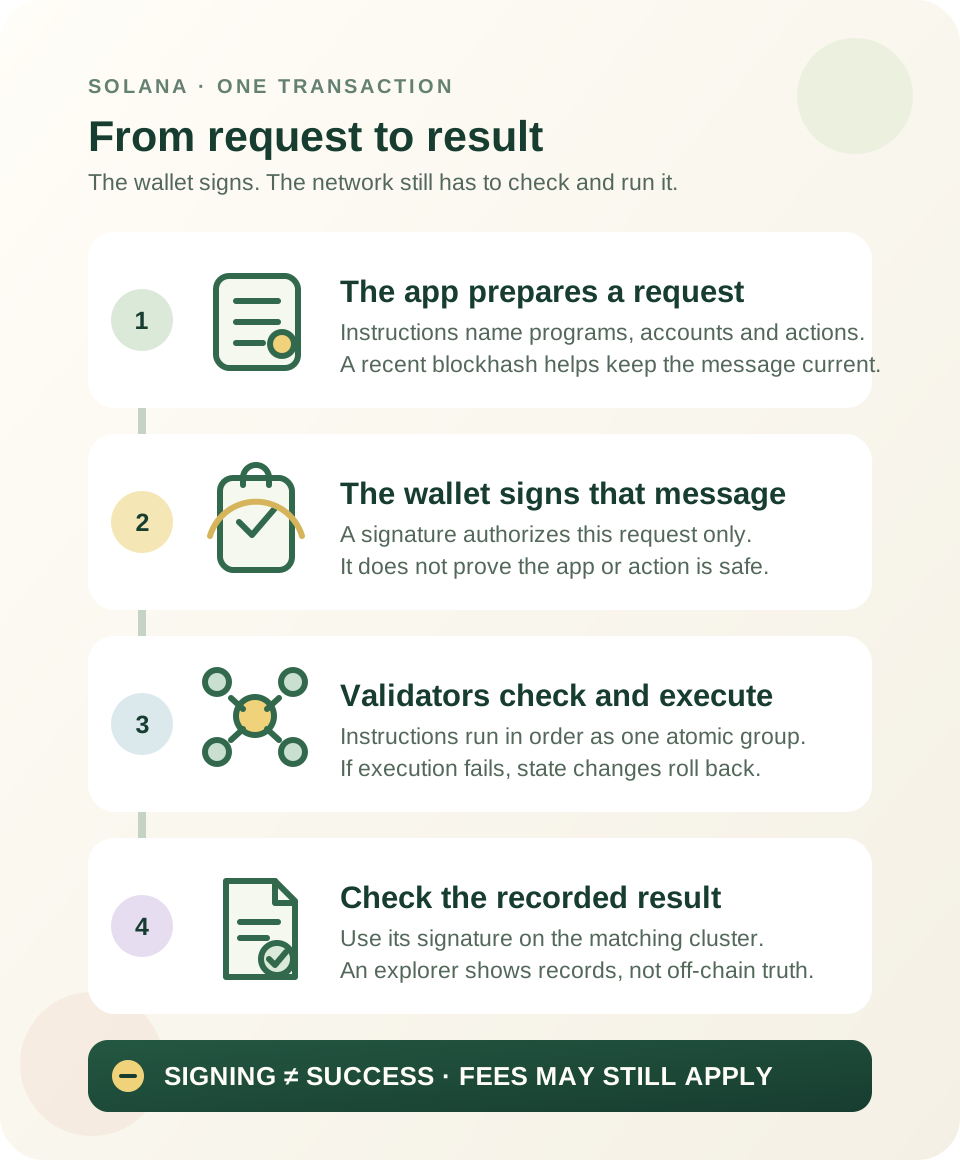
Solana uses three common commitment labels: processed, confirmed, and finalized. A processed transaction appears in a block but has not yet been voted on; confirmed means a supermajority has voted for the block; finalized means the block is rooted. These are progressively stronger network confirmation levels, not three different assets or a guarantee that an intended payment reached the right person. Solana's confirmation-level guide describes these labels; explorer wording and display can vary, so check the cluster and transaction record itself.
Next, check whether the transaction has an error, then compare the recorded accounts, asset or token mint, amount, and fee with what you intended. If an instruction failed during execution, Solana rolls back the transaction's requested state changes, but the network fee may still be charged. A network fee is not necessarily every cost shown by a swap or service. For a deeper explanation of signing, execution, and confirmation, see how Solana transactions work.
If the explorer says not found
An empty result is limited evidence. A search may be using the wrong cluster, the signature may have been copied incorrectly, or the explorer/RPC may not have the relevant record in the search it performed. Solana's getSignatureStatuses RPC checks a recent status cache unless transaction-history search is requested. Its getTransaction RPC can return null when a transaction is not found or is not confirmed at the requested commitment. A missing result is not proof that nothing happened. Neither response by itself proves that no transaction was submitted or that it can never appear.
Check the full signature and cluster first. If the result is still unclear, wait for the service to update or compare through another independently opened, trusted source. Do not treat one blank page as proof that a payment failed or as permission to submit the same action again. If this is a swap that remains unresolved, use the pending-or-failed swap guide for the separate retry decision.
What an on-chain record cannot prove
A matching record can show what the network recorded at the selected cluster and confirmation level. It cannot prove that an off-chain order was delivered, that a seller fulfilled a promise, or that a token issuer is trustworthy. A transaction signature is public lookup data, but sharing its link can make the associated wallet activity easier to connect to you. Never share a recovery phrase, private key, password, or one-time code to verify a transaction.
Practise without a wallet
Imagine a fictional wallet shows a Mainnet signature, but an explorer set to Devnet says not found. What should you check? First match the full signature and switch to the wallet's cluster. The empty Devnet result says nothing about whether that Mainnet transaction exists. No wallet, purchase, signature, or live transaction is needed for this exercise.
For the difference between Solana's testing and production networks, see Devnet, Testnet and Mainnet.
Check your understanding.
A wallet shows a Mainnet signature, but an explorer set to Devnet says “not found.” What is the best next check?
A correct answer records local learning progress, not a qualification or proof of financial readiness.
Put this lesson in context
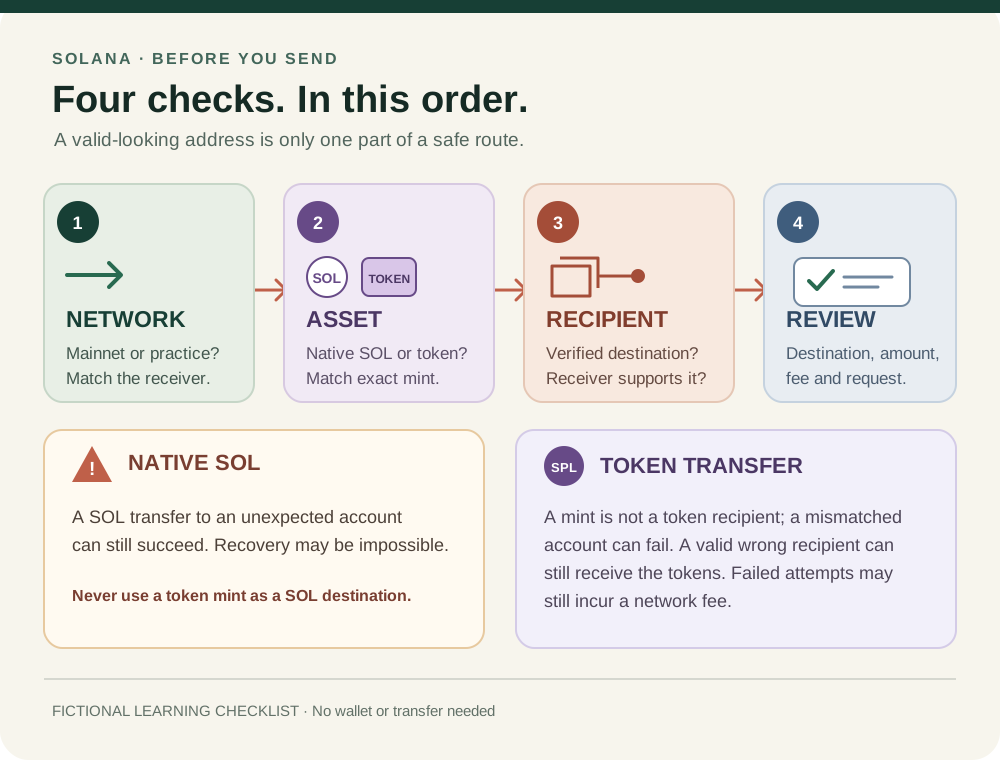
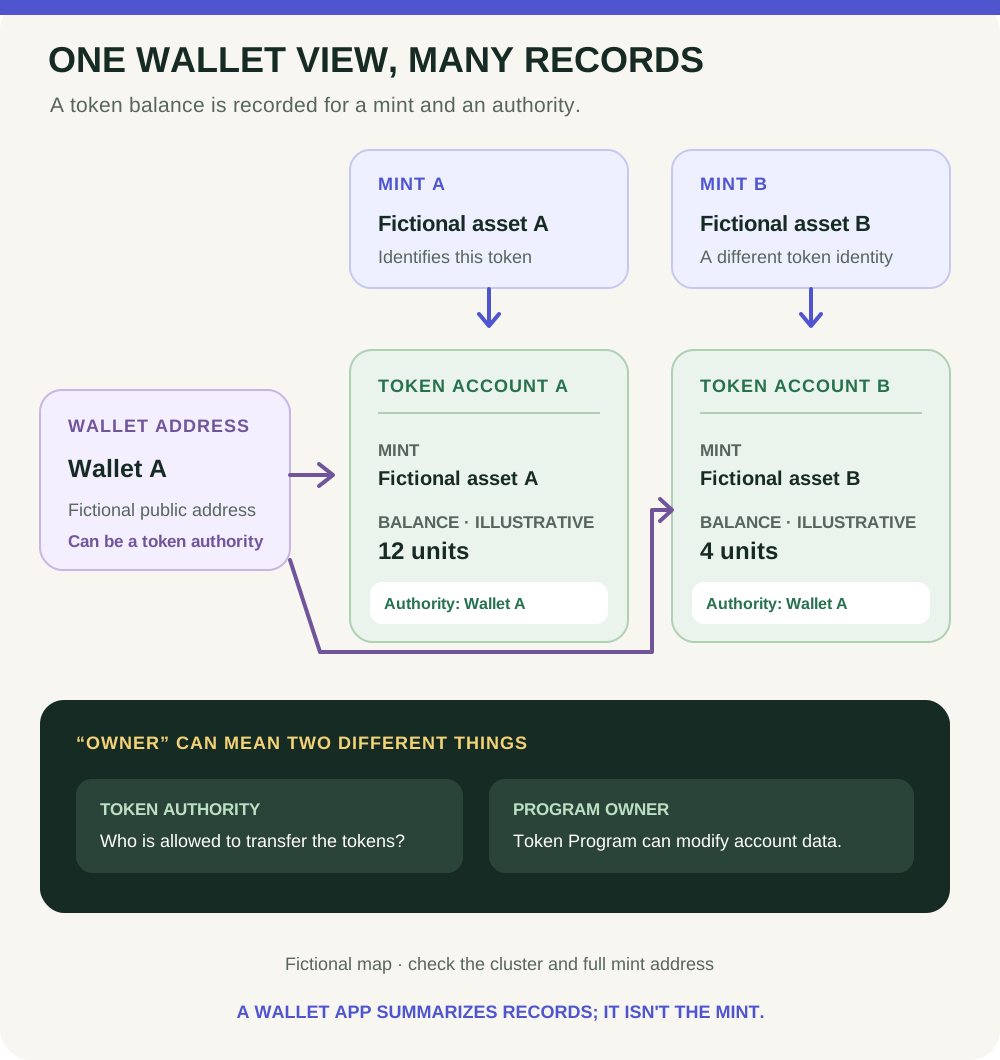
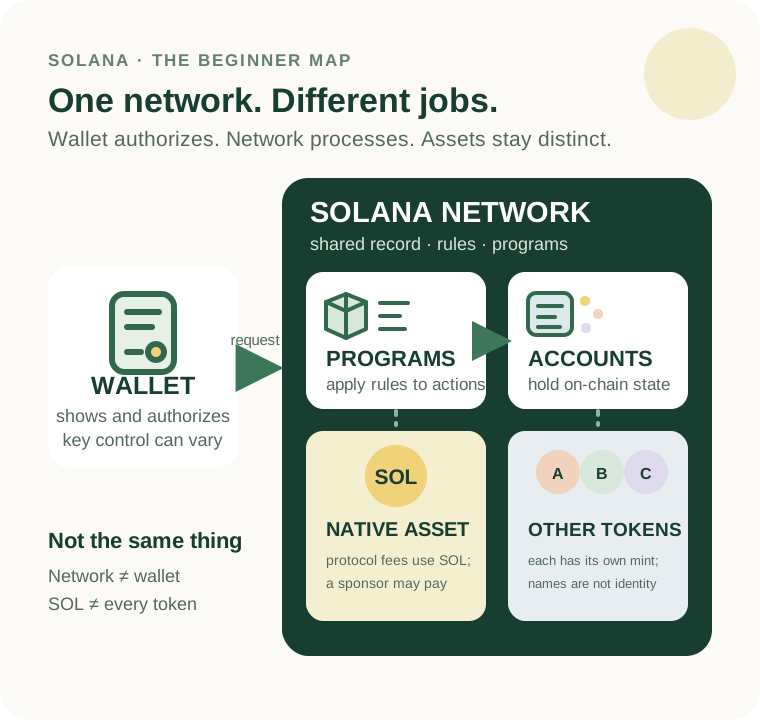
Separate the network, SOL and other tokens before learning accounts and transaction results.
Sources & context
- Solana documentation — Transactions ↗Consulted 2026-10-11
- Solana Documentation — Clusters and public RPC endpoints ↗Consulted 2026-10-11
- Solana documentation — getSignatureStatuses RPC method ↗Consulted 2026-10-04
- Solana documentation — Production Readiness: Understanding Confirmation Levels ↗Consulted 2026-10-04
- Solana documentation — getTransaction RPC method ↗Consulted 2026-10-11
- Solana documentation — Transaction confirmation and expiration ↗Consulted 2026-10-11
- Solana documentation — Fee Structure ↗Consulted 2026-10-11
Original educational content prepared for this project. Sources provide context, not endorsement or a guarantee that every statement remains current. Rules, product interfaces and availability can change.
Keep learning in Telegram.
Open this published guide in the learning bot. No account connection or wallet is needed.
Join the $STONKB community.
Follow project updates, share useful ideas and meet other builders. You do not need to buy $STONKB to join.
Take what you learned.
Leave the pressure behind.